Can I Buy Bitcoin with NAB?
You can buy Bitcoin through an exchange funded from your NAB account. NAB does not sell crypto to personal customers, while nabtrade offers Bitcoin ETFs rather than coins. To buy directly, choose a platform from our Australian exchange rankings and fund it through Pay Anyone in the NAB app or Internet Banking.
Unlike CommBank and ANZ Plus, which cap exchange payments at $10,000 a calendar month, NAB publishes no crypto allowance. Its crypto payment policy has blocked payments to exchanges it classes as high-risk since 18 July 2023. Other payments remain subject to the ordinary daily transfer limit of $5,000 per NAB ID with SMS Security.
Our first PayID payment to Kraken from a NAB Classic Banking account paused at a checklist asking whether anyone had helped us set up the investment. Once we confirmed that we had chosen it ourselves, the payment went through and reached Kraken within a minute. A separate test payment to an offshore exchange without Australian registration showed Rejected within seconds. NAB’s guidance says retrying will not change the outcome.
How to Buy Crypto with NAB
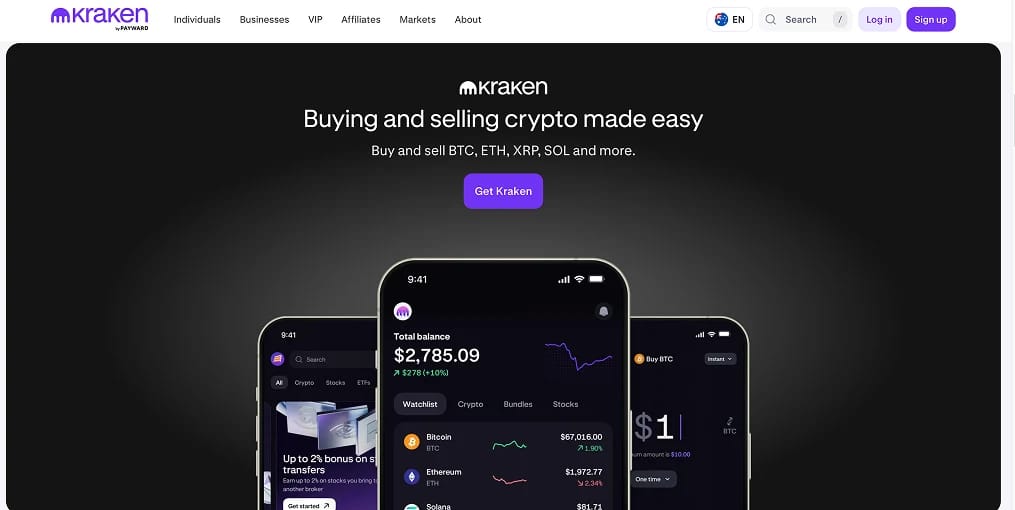
The cheapest way to buy crypto with NAB is to fund Kraken by PayID, which is free at both ends, and buy coins you can withdraw. Deposits start at $5, using a personal PayID email address instead of a BSB and account number. On Kraken Pro, orders match against a public queue of bids and offers, so traders set the price rather than the platform.
Steps to buy crypto with NAB:
- Open and verify a Kraken account: Sign up on Kraken with a driver licence, passport or photo card, plus recent proof of address. Australians contract with Bit Trade Pty Ltd (ACN 163 237 634). Funding remains locked until identity checks are complete.
- Copy your PayID from Kraken: Go to Funding, Deposit, AUD, then PayID. Your account has a unique address, removing the risk of mistyping a BSB. Send from a bank account in your verified name to avoid manual review.
- Check and raise your NAB daily limit: The default is $2,500 per NAB ID, or $5,000 with SMS Security. You can raise it to $100,000 through NAB Internet Banking in a browser. The app displays it under Settings, Payments and Payment Limits but cannot change it.
- Send the payment: Select Pay Anyone, then PayID in the NAB app and paste Kraken’s address. Answer NAB’s scam checklist plainly if it appears on your first crypto payment. For a BSB transfer, enter Cuscal as the account name. Cuscal Limited holds Kraken’s receiving account, and Confirmation of Payee flags other names.
- Buy on Kraken Pro: When the AUD arrives, open Kraken Pro and select BTC/AUD or another of the 13 AUD pairs. Set a limit price. New accounts pay 0.40% maker and 0.80% taker fees, while the simpler Instant Buy option costs 1% plus a hidden spread.
Kraken’s duplicate-deposit check can freeze a second payment if you send the same dollar amount twice within 72 hours. Add a few cents to one payment to avoid this.
Bitcoin ETFs on nabtrade
nabtrade, NAB’s share trading platform, offers every ASX-listed ETF, including Bitcoin funds, but no spot crypto. The VanEck Bitcoin ETF (VBTC) was the first on the ASX. It holds Bitcoin with an institutional custodian and charges 0.45% annually. Betashares QBTC and QETH provide Bitcoin and Ethereum exposure at the same cost. On nabtrade, brokerage starts at $14.95, with a $500 minimum first order in any ASX ETF.
ETF units sit in your CHESS holding, the ASX’s share register, making them suitable for a self-managed super fund or a portfolio already on nabtrade. The range is limited to two coins, the fee compounds annually, and you cannot withdraw the underlying Bitcoin. WealthHub Securities Limited (AFSL 230704), a NAB subsidiary, provides nabtrade. Our Bitcoin ETF tracker follows the US funds on which these Australian products are built.
Fees, Tax and Transfer Limits for NAB Customers
NAB sends the payment for free. Kraken charges the purchase fees, while NAB’s transfer limits and exchange blocks determine whether the funding goes through.
NAB costs and limits
- Pay Anyone, PayID and Osko: Free. Most Australian banks use Osko’s real-time payments network, so transfers usually arrive in about a minute at any hour.
- Daily transfer limit: $2,500 per NAB ID without SMS Security, or $5,000 with it. Raising the limit to $100,000 requires NAB Internet Banking in a browser. Transfers between your own NAB accounts are excluded, as are BPAY payments to NAB-authorised billers, PayTo, branch payments and RTGS transfers.
- Joint accounts: Limits apply to each NAB ID, not the account. Two joint holders on default settings can therefore transfer $10,000 a day between them.
- No crypto allowance: NAB publishes no monthly or rolling cap on exchange payments. The daily transfer limit is its only ceiling.
- High-risk exchange blocks: NAB has declined payments to exchanges it considers high-risk since 18 July 2023. Card payments display Issuer Declined Transaction, while transfers show Rejected in the app. The bank does not identify the exchanges, and retries fail the same way. Exchange withdrawals into NAB accounts are unaffected.
- Payment prompts: Since March 2023, unusual payments, including a first investment in cryptocurrency, can trigger a checklist before confirmation. NAB reported that customers abandoned 12% of prompted payments.
- Confirmation of Payee: Rolled out from July 2025 for BSB payments through the NAB app and Internet Banking. Use PayID for Kraken or enter Cuscal, the holder of its receiving account. The rollout excludes nabtrade, NAB Connect and ubank.
- Cards: Kraken accepts NAB Visa Debit and charges 3.75% plus 25 cents. NAB also blocks card payments to exchanges it rates high-risk.
- Scam liability: NAB is under no obligation to reimburse money you send yourself to an impostor site. The bank says it stopped or recovered more than $48 million in suspected scam payments between October 2024 and March 2025. Banks were designated under the Scams Prevention Framework Act this May, with enforceable sector codes due in 2027.
- Financial Claims Scheme: The government guarantee covers $250,000 for each account holder per banking licence. NAB and ubank share a licence, so their combined balances count towards that limit. Coins held on Kraken have no comparable protection.
Kraken fees
- AUD deposit: PayID and Osko deposits are free, with a $5 minimum. For verified accounts, Kraken allows $10,000 per day and $40,000 in any 30-day window. NAB’s default $5,000 daily limit is reached first.
- Trading: New Kraken Pro accounts pay 0.40% to add an order to the queue or 0.80% to fill one immediately. Both rates fall once monthly trading reaches US$2,500. Assets held on Kraken also count towards discount tiers. See our maker and taker fees guide for the difference.
- Instant Buy: Charges 1% plus a spread hidden in the quote. Kraken+ removes the 1% fee on your first US$10,000 of purchases each month, but the spread remains.
- Cards and Apple or Google Pay: Cost 3.75% plus 25 cents in addition to the trading fee.
- AUD withdrawal: Free to a NAB account in your name, usually arriving within minutes through Osko.
- Crypto withdrawal: A network fee applies and varies by coin. Australian accounts cannot access Monero, Dash or Zcash on Kraken.
Australian tax on crypto
- Capital gains tax: Crypto is a CGT asset under ATO rules. Selling it, swapping coins or spending crypto triggers a taxable event. Individuals currently receive a 50% discount on gains after holding for 12 months. Capital losses can offset gains only.
- Discount ends 1 July 2027: The Treasury Laws Amendment (Tax Reform No. 1) Act 2026 received Royal Assent on 26 June. From 1 July 2027, inflation indexation of the purchase price replaces the 50% discount, alongside a 30% minimum tax on gains accruing after that date. Earlier gains retain the discount. Record the value of your holdings on 1 July 2027.
- Income: Staking rewards and airdropped tokens count as ordinary income at their AUD value on the day they arrive.
- Reporting: The ATO has matched exchange records with tax returns since 2019. The OECD’s Crypto Asset Reporting Framework introduces reporting on 1 January 2027, followed by the first international data exchanges in 2028.
For a $5,000 Bitcoin purchase, a NAB customer pays no bank fee and roughly $40 in Kraken Pro taker fees. The transfer also exhausts the default daily limit, so raise it before you need it.
Best Exchanges for NAB Customers
NAB’s exchange blocks depend on the destination, not the payment amount, making platform choice more important than transfer size. Every exchange below is AUSTRAC-registered and accepts PayID from NAB accounts. All cleared our tests without a Rejected status.
NAB Cryptocurrency Policy
NAB offers no personal crypto product and handles exchange payments primarily through scam prevention controls. Its policy page cites Scamwatch figures showing that Australians lost $19.5 million to crypto impersonation scams in the first half of 2025. The exchange blocks introduced in July 2023 remain in place, alongside payment prompts and the removal of links from NAB text messages. None of these measures has been relaxed.
Its institutional crypto work has been more adventurous. In 2023, NAB minted AUDN, an Australian dollar stablecoin on Ethereum backed one-for-one by deposits. It used the coin to transfer funds between its overseas branches before closing the project in mid-2024. The bank later joined the Reserve Bank’s Project Acacia and partnered with Imperium Markets to issue and mature a tokenised term deposit settled with a stablecoin. These projects are unavailable to personal customers.
For exchanges, AUSTRAC’s expanded regime has applied since 31 March. Their classification as virtual asset service providers extends anti-money-laundering obligations beyond dollar conversion to coin-to-coin swaps and custody. The travel rule has also required sender and recipient details to accompany each crypto transfer since 1 July.
Parliament passed the Corporations Amendment (Digital Assets Framework) Act on 1 April. ASIC’s implementation roadmap sets a 9 April 2027 start date, when platforms holding customer crypto must operate under an Australian financial services licence. Stockbrokers and fund managers already require this permission.
Kraken’s Australian operator, Bit Trade Pty Ltd, holds AUSTRAC registration for spot trading and will need the licence before the Act applies. A separate licensed company offers its derivatives exclusively to wholesale clients.
About NAB
National Australia Bank was formed on 1 October 1981 through the merger of the National Bank of Australasia, founded in 1858, and the Commercial Banking Company of Sydney, founded in 1834. Headquartered at 700 Bourke Street in Melbourne’s Docklands, it employs more than 38,000 people and serves more than 8.5 million customers. NAB describes itself as Australia’s largest business bank.
The group includes digital bank ubank and Bank of New Zealand. It absorbed Citigroup’s Australian consumer business in 2022, while nabtrade and JBWere provide wealth and trading services. Andrew Irvine became chief executive in April 2024. ubank has a separate app and payment settings, so raising a NAB limit does not change your ubank limit.
As an authorised deposit-taking institution, NAB is supervised by APRA, Australia’s prudential regulator. It also holds Australian financial services and credit licence 230686 under ASIC’s conduct oversight. The NAB app and Internet Banking use SMS Security alongside payment prompts and Confirmation of Payee. A fraud engine developed over more than a decade provides further protection.
Bottom Line
NAB gives crypto buyers more room than CommBank or ANZ Plus, but less certainty. It has no monthly cap, allows daily limits of up to $100,000 without a phone call, and prompts first payments with a checklist rather than a hold. The bank still decides which exchanges it will pay, keeps that list private and offers no appeal for a Rejected payment.
Kraken remains our recommendation for NAB customers. Bit Trade’s AUSTRAC registration and free PayID funding support access to a real AUD order book, with coins available to withdraw to your own wallet. Raise your NAB limit in a browser before funding, then send from an account in your own name. Use Kraken Pro instead of Instant Buy and keep every statement, as the ATO begins receiving exchange data directly in 2027.