



Best Cosmos Wallets in 2026
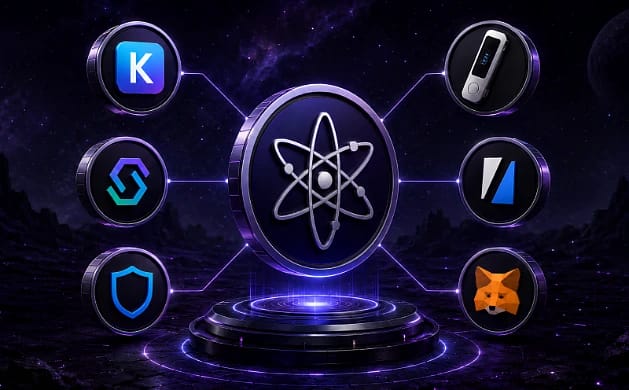
The strongest Cosmos setup in 2026 pairs a hardware device such as the Ledger Nano S Plus with a feature-rich software wallet like Keplr or Cosmostation, giving you cold-storage security while keeping full access to staking, IBC transfers, and appchains like Osmosis, Celestia, and Neutron.
For users who prioritize a cleaner interface, air-gapped custody, or an EVM-first workflow, the table below breaks down each recommended wallet, its platforms, and the standout features that separate it from the rest of the field.
1. Keplr
Keplr remains the definitive Cosmos wallet, acting as the default connection for most interchain dApps and now spanning roughly 190 supported networks. Beyond Cosmos Hub and appchains, it has expanded into Ethereum, Bitcoin, and even non-EVM ecosystems like Starknet, making it a true multichain hub rather than a single-ecosystem tool.
Its staking experience is the reason it wins. You can delegate ATOM, track unbonding, and use "Claim All" to collect rewards across chains in one action, then estimate your staking returns before committing. Keplr also pioneered native Bitcoin staking through Babylon, though that yield sits near 0.28% with a 3% commission.
The wallet crossed 2 million users in 2025 and integrates Ledger for hardware signing, plus multisig and biometric protection. Its main gaps are honest ones: no native Solana or XRP storage, and swap or fiat on-ramp fees that can feel steep versus leaner competitors.
Pros
- Staking depth: Delegate, redelegate, and claim rewards across dozens of chains with clear validator analytics and one-click collection.
- Multichain reach: Manages Cosmos, Ethereum, Bitcoin, and Starknet assets from one extension without the manual network switching MetaMask requires.
- Security tooling: Combines encrypted local keys, multisig support, biometrics, and optional Ledger pairing for protecting higher-value accounts.
Cons
- Coverage gaps: No native storage for Solana or XRP, so those assets require bridging or awkward cross-chain workarounds.
- Costly conversions: Swap and fiat on-ramp fees can run steep, with some gateways quoting spreads well above leaner competitors.
- Learning curve: Concepts like IBC and epochs make the first experience feel more technical than a standard retail wallet.
2. Cosmostation
Cosmostation is the leading Cosmos-native alternative to Keplr, ranking second by user base and operating reliably across 50-plus chains. It bridges IBC networks with EVM-compatible chains like Polygon and Optimism, and its mobile app has historically been more stable than rivals, particularly on older devices.
Its standout asset is data infrastructure. The team also maintains Mintscan, one of the most widely used Cosmos explorers, and the wallet taps that feed for real-time validator performance, staking rewards, and transaction history without leaving the app for an external site.
Staking is a core strength, with tools to delegate across chains and claim rewards in a single step, plus in-wallet governance voting and roughly 16% APR on ATOM. The interface leans functional over elegant, so DeFi-first users coming from flashier wallets may find it less polished, but it rewards those who value dependability.
Pros
- Proven stability: Years of uninterrupted operation and a dependable mobile app make it a reliable pick for phone-first users.
- Mintscan data: Deep integration with the Mintscan explorer surfaces validator stats and reward history directly inside the wallet.
- Interchain swaps: The "Coin Swap" tool routes trades through relayers, enabling asset moves between Cosmos and EVM chains.
Cons
- Dated interface: The design leans functional over elegant, which can feel less polished to users arriving from flashier DeFi wallets.
- Slower listings: New chain and token additions can occasionally trail behind faster-moving rivals like Keplr by a few weeks.
- Software custody: As a hot wallet, it still depends on seed-phrase security, though Ledger pairing adds a cold-storage option.
3. Ledger Nano S Plus
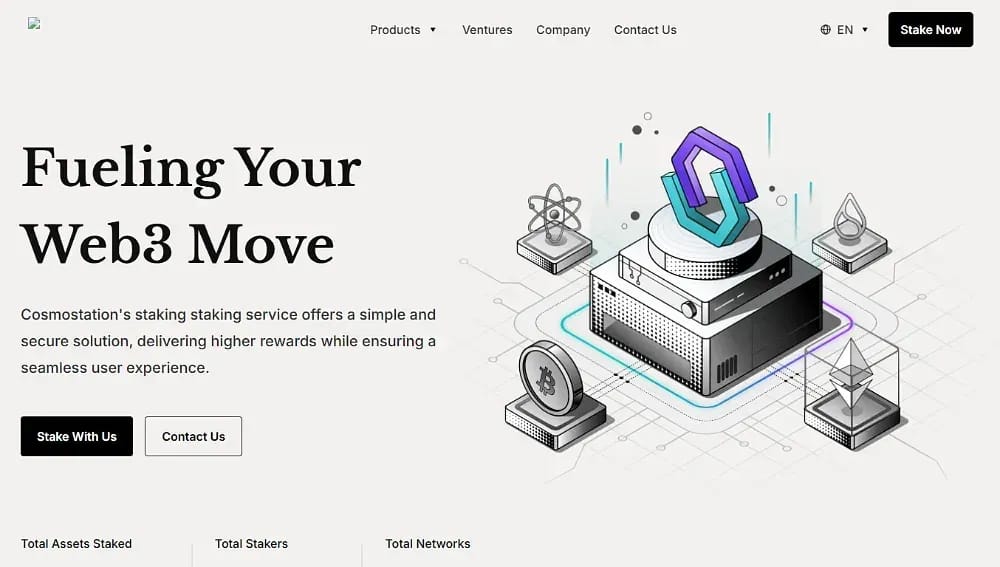
The Ledger Nano S Plus is the most trusted way to secure ATOM and thousands of other assets, storing private keys inside a certified secure element that never touches an internet-connected device. For long-term holders, that offline protection is the single biggest reduction in phishing and malware risk.
Setup runs through Ledger Live, which supports ATOM staking directly, though the app cannot perform IBC transfers on its own. Pairing the device with Keplr solves this cleanly, unlocking Osmosis, governance, and cross-chain movement while every transaction is physically confirmed on the hardware button.
That confirmation step is the core trade-off: security-first friction that slows down frequent trading. For anyone delegating ATOM and checking rewards weekly rather than day-trading appchains, the Ledger-plus-Keplr combination is the strongest security posture available in the ecosystem today.
Pros
- Offline keys: A certified secure element keeps private keys isolated from online threats during every signing operation.
- Broad coverage: Supports 5,500-plus assets, so ATOM sits alongside Bitcoin, Ethereum, and the rest of a diversified portfolio.
- Physical confirmation: On-device transaction approval blocks remote signing, adding friction that meaningfully protects larger balances.
Cons
- No native IBC: Ledger Live cannot perform IBC transfers alone, so cross-chain movement requires pairing with Keplr or Cosmostation.
- Trading friction: Confirming every transaction on the device slows down active traders moving frequently across appchains and DeFi protocols.
- Upfront cost: Unlike free software wallets, the device carries a purchase price and adds a short setup process.
4. Trust Wallet
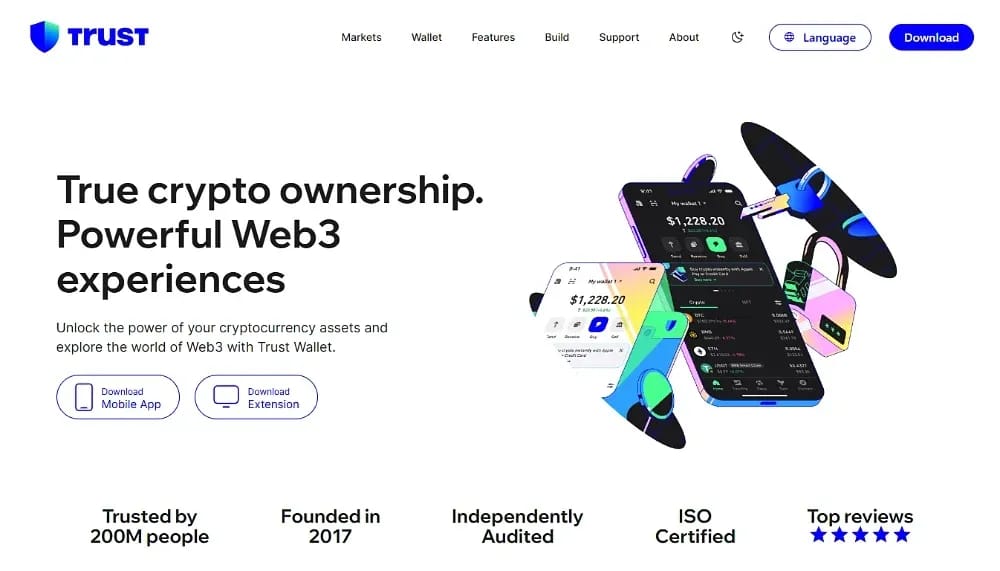
Trust Wallet is the strongest general-purpose pick for Cosmos, letting you stake ATOM natively while holding thousands of other assets in one self-custody app. With more than 200 million downloads across 100 chains, it suits users who want ATOM exposure without a Cosmos-only wallet.
Enabling Cosmos Hub takes one toggle in the app's "Manage Crypto" screen, after which you can buy ATOM with fiat, receive it from an exchange, and delegate to a validator from the "Earn" tab. The flow shows APR, unbonding period, and balance before you confirm, keeping staking approachable for newcomers.
Available on iOS, Android, and as a browser extension, Trust Wallet trades Cosmos-native depth for breadth. It handles ATOM staking dependably, but for heavy IBC transfers and appchain governance, the community still leans on dedicated wallets like Keplr and Cosmostation.
Pros
- Native ATOM staking: Delegate directly from the Earn tab, with APR, unbonding, and balance shown clearly before you confirm.
- True multichain: Holds ATOM alongside thousands of assets across 100-plus chains, ideal for a single diversified portfolio.
- Easy on-ramp: Buy ATOM with fiat inside the app, plus integrated Binance and Coinbase funding for quick top-ups.
Cons
- Shallow IBC: It lacks the deep IBC-transfer dashboard and appchain governance tools that Cosmos-native wallets provide.
- Not Cosmos-first: For heavy interchain activity, the community still prefers dedicated wallets like Keplr or Cosmostation.
- Software custody: As a hot wallet, security rests on protecting your seed phrase rather than offline hardware storage.
5. Keystone
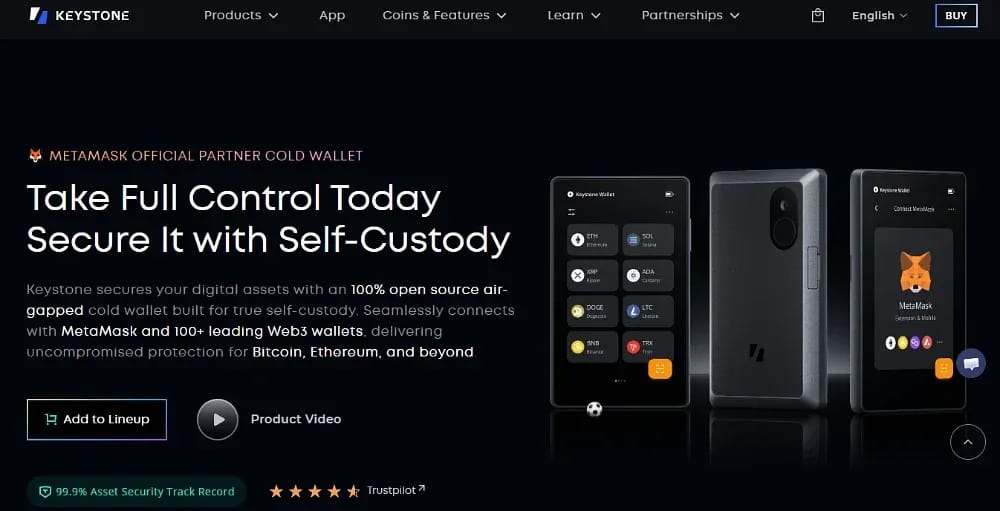
Keystone is our top air-gapped hardware pick, an alternative for users who want cold storage without a cable or Bluetooth attack surface. The device signs transactions entirely offline and communicates through scannable QR codes, so private keys never connect to a phone or computer at any point.
It supports thousands of assets across 200-plus networks including Cosmos, and integrates with software wallets like Keplr for staking and IBC. An open-source firmware, fingerprint sensor, and self-destruct mechanism against physical tampering give it a security profile that appeals to holders securing meaningful ATOM positions.
The trade-offs are cost and convenience: it sits above entry-level devices on price, and QR-based signing adds steps compared with a plugged-in wallet. For users who treat air-gapping as non-negotiable, though, Keystone delivers verifiable, audited hardware security that pairs neatly with a Cosmos-native interface.
Pros
- True air-gap: QR-code signing keeps the device fully offline, eliminating USB and Bluetooth as potential attack vectors.
- Open-source firmware: Publicly auditable code lets the community verify security claims rather than trusting a closed system.
- Tamper defense: A fingerprint sensor and anti-tamper protections add physical safeguards for users holding larger balances.
Cons
- Premium price: It sits above entry-level hardware devices on cost, which may deter holders with smaller portfolios.
- QR friction: Scanning codes for every signature adds steps and slows the flow versus a plugged-in wallet.
- Pairing required: Full Cosmos staking and IBC still route through a paired software wallet like Keplr rather than standalone.
6. MetaMask
For users whose portfolios center on Ethereum, MetaMask can reach Cosmos through a Cosmos Extension Snap, a community-built plugin that adds IBC-chain compatibility without a second standalone wallet. It lets EVM-first users manage Cosmos assets, connect to Cosmos SDK dApps, and transact across appchains from a familiar interface.
The Snap architecture runs in an isolated, permissioned environment, so Cosmos functionality is added without exposing your existing EVM accounts. For someone already managing Ethereum, Base, and Arbitrum liquidity in MetaMask, this avoids the friction of learning and securing an entirely separate seed phrase.
The caveat is that native Cosmos wallets remain smoother for heavy interchain use. Not every flow is as intuitive as in Keplr or Cosmostation, and you should confirm the Snap you install is actively maintained. Treat MetaMask as a convenient EVM-first bridge rather than a full Cosmos-native replacement.
Pros
- No second wallet: A Cosmos Snap adds interchain access inside MetaMask, avoiding a separate app and seed phrase for EVM users.
- Isolated permissions: Snaps run in a sandboxed environment, extending functionality without exposing existing Ethereum accounts to added risk.
- Familiar workflow: Manage IBC assets and Cosmos dApps through the interface Ethereum users already know and trust daily.
Cons
- Snap reliability: Cosmos access depends on a third-party Snap, so you must verify it is actively maintained before installing.
- Less intuitive: Not every Cosmos flow feels as smooth as in Keplr or Cosmostation, especially for heavy interchain activity.
- Bridge, not replacement: For deep Cosmos use, native wallets still deliver broader chain coverage and more capable staking tools.

What Is Cosmos?
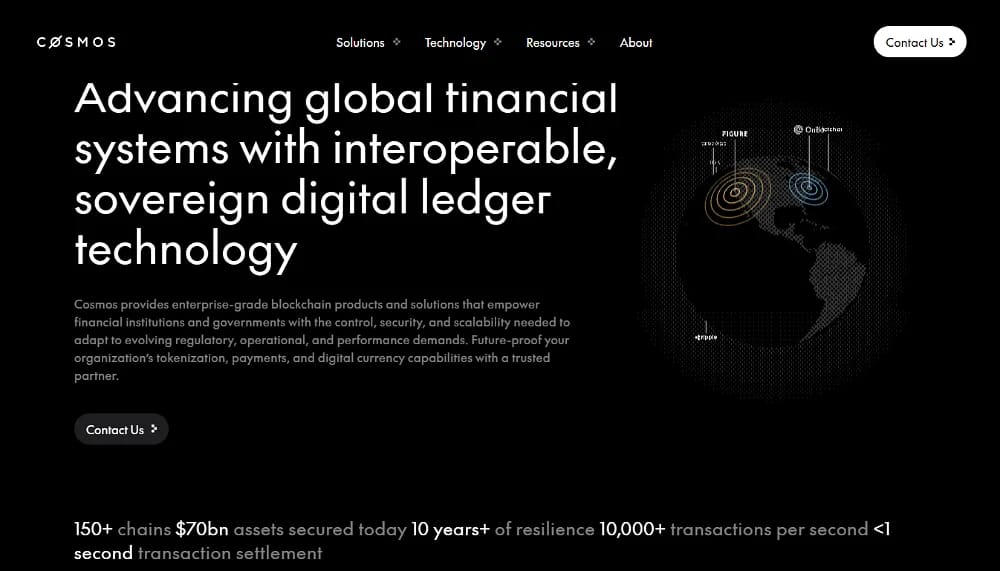
Cosmos is a layer-0 network built to solve blockchain interoperability through the Inter-Blockchain Communication (IBC) protocol. Rather than one monolithic chain, it connects many sovereign, application-specific blockchains that retain full autonomy while communicating freely, an architecture widely described as the "Internet of Blockchains."
Developers build these chains using open-source tooling like the Cosmos SDK, CosmWasm, and CometBFT, the consensus engine formerly known as Tendermint. Over 200 projects now use the SDK, making it the most widely adopted blockchain stack, with transaction fees often as low as $0.01 across the network.
The Interchain framework connects more than 150 chains, including Celestia, Osmosis, Injective, dYdX, Neutron, and Kava. The central Cosmos Hub routes much of this traffic, and ATOM, its native token, secures the Hub through staking while anchoring governance across the ecosystem.
The 2026 Cosmos Landscape: IBC Eureka and Beyond
The biggest recent shift is IBC Eureka, launched in April 2025, which extended IBC beyond Cosmos for the first time. Using zero-knowledge proof verification, it now connects Cosmos chains directly to Ethereum, with Solana and Layer-2 integrations in advanced development, and transfer costs from Ethereum often running under a dollar.
This matters for wallet choice because cross-chain movement is becoming a mainstream expectation rather than a power-user niche. IBC reportedly moves billions in monthly transfer value across 150-plus chains, so wallets that make it easy to bridge assets to Osmosis and other zones are increasingly the ones users lean on daily.
At the same time, the community has begun a formal tokenomics redesign to shift ATOM from a high-inflation model toward a fee-based economy. That backdrop makes staking wallets, validator analytics, and clear reward tracking more important than ever as holders weigh real yield against inflation.
What Are Cosmos Wallets?
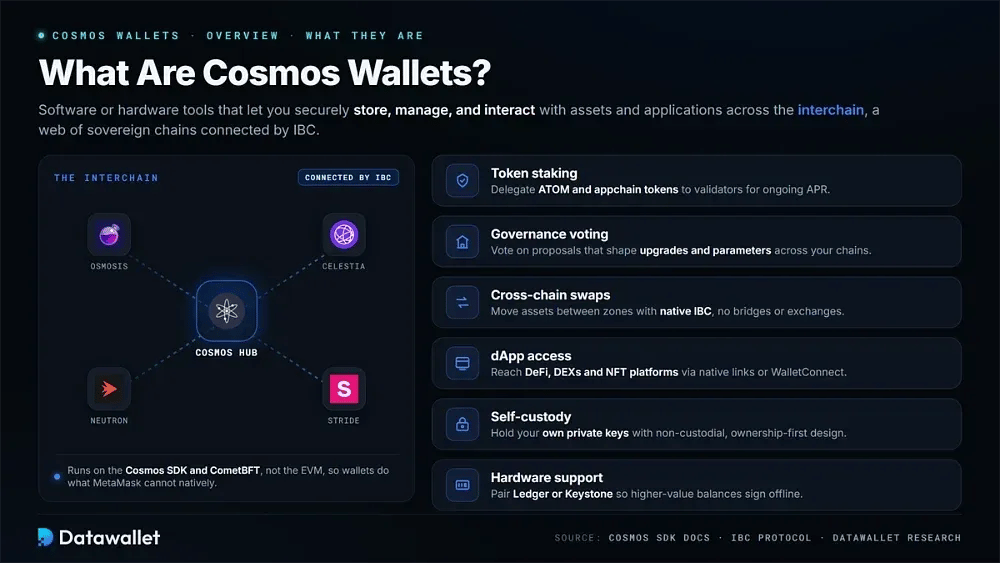
Cosmos wallets are software or hardware tools that let users securely store, manage, and interact with assets and applications across the interchain. Because Cosmos uses the Cosmos SDK and CometBFT rather than the EVM, these wallets handle capabilities that general Ethereum wallets simply cannot access natively.
The features that define a capable Cosmos wallet cluster around a few essentials, and knowing them helps you match a wallet to how you actually use the interchain each day:
- Token staking: Store ATOM and appchain tokens while delegating to validators directly in-wallet to earn ongoing APR-based rewards.
- Governance voting: Cast votes on network proposals from the interface, shaping upgrades and parameters across the chains you hold.
- Cross-chain swaps: Execute IBC transfers between zones, moving assets across sovereign chains without centralized exchanges or wrapped-token bridges.
- dApp access: Connect to DeFi protocols, DEXs, and NFT platforms across Cosmos through native integrations or WalletConnect sessions.
- Self-custody: Keep private keys under your control with non-custodial designs that prioritize user ownership, privacy, and transaction safety.
- Hardware support: Pair with devices like Ledger or Keystone so higher-value balances stay protected by offline signing.
Software vs. Hardware Wallets in Cosmos
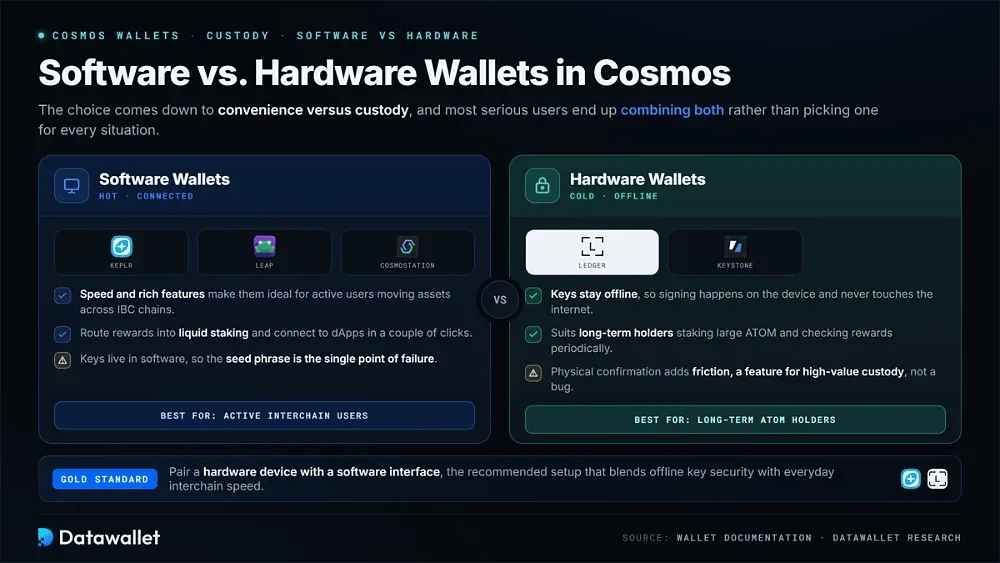
Choosing between a software and hardware wallet comes down to how you balance convenience against custody, and most serious users end up combining both rather than picking one over the other for every situation.
Software wallets like Keplr, Cosmostation, and Trust Wallet win on speed and features, making them ideal for active users who move assets across IBC chains or route rewards into liquid staking protocols constantly. The trade-off is that keys live in software, so the seed phrase becomes the single critical point of failure.
Hardware wallets such as Ledger and Keystone keep keys offline, which suits long-term holders staking large ATOM positions and checking rewards periodically. The friction of physical confirmation is a feature, not a bug, for high-value custody, which is why pairing hardware with a software interface is the recommended gold standard.
Why Is Cosmos Not Supported on EVM Wallets?
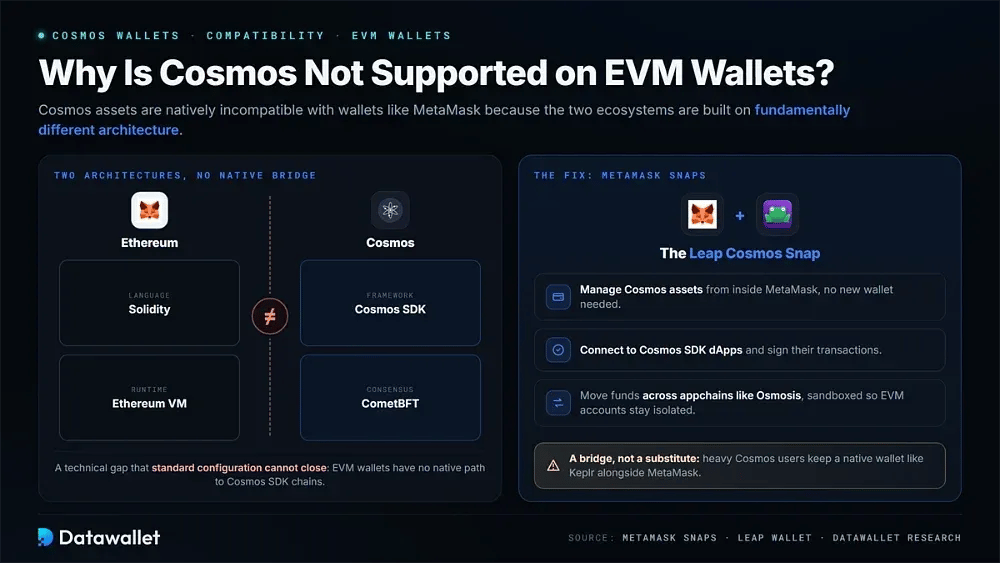
Cosmos assets are natively incompatible with EVM wallets like MetaMask because the two ecosystems are built on fundamentally different architecture. Ethereum runs on Solidity and the Ethereum Virtual Machine, while Cosmos uses the Cosmos SDK and CometBFT consensus, creating a technical gap that standard configuration cannot close.
MetaMask Snaps closes that divide without abandoning the wallet. A Cosmos Snap lets MetaMask users manage Cosmos assets, connect to Cosmos SDK dApps, and move funds across appchains like Osmosis, all inside a sandboxed environment that keeps existing EVM accounts isolated and secure.
That said, a Snap is a bridge rather than a full substitute. Native wallets still deliver smoother interchain flows, deeper chain coverage, and more intuitive staking, so heavy Cosmos users generally keep a dedicated wallet like Keplr or Cosmostation alongside MetaMask rather than relying on the Snap alone.
How to Choose a Cosmos Wallet
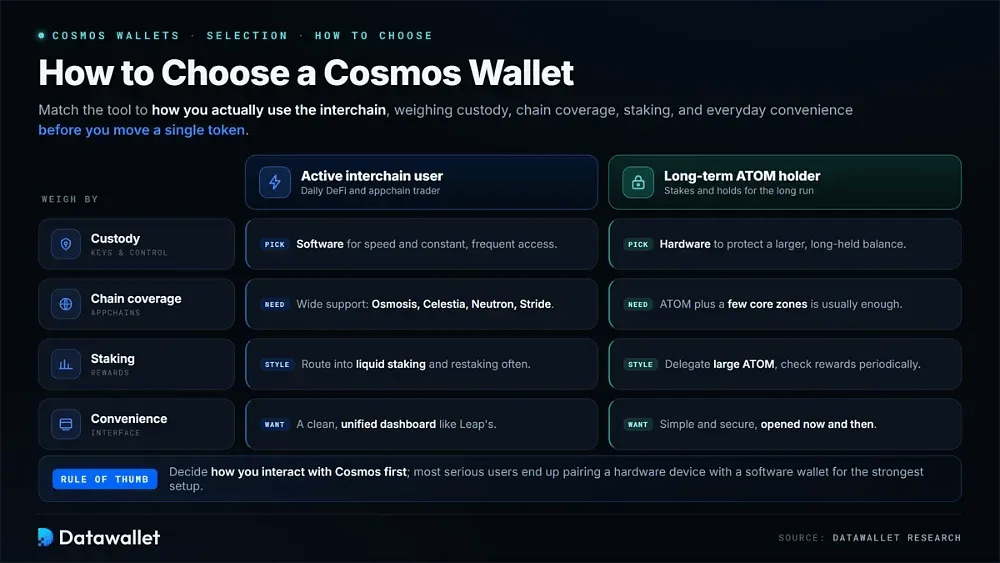
Picking the right Cosmos wallet comes down to matching a tool to how you actually use the interchain, weighing custody, chain coverage, staking needs, and everyday convenience before you ever move a single token.
1. Match the Wallet to Your Usage
Before comparing brands, decide how you interact with Cosmos, since a daily DeFi trader and a long-term ATOM holder need very different tools.
Work through these five questions in order before you decide:
- Define activity: Decide whether you mainly stake, trade across appchains, vote in governance, or simply hold ATOM for the long term.
- Set custody: Choose software for speed and frequent access, or hardware when protecting a larger balance is the priority.
- Check coverage: Confirm the wallet natively supports the specific appchains you actually use, such as Osmosis, Celestia, Neutron, or Stride.
- Weigh interface: Prefer a clean, well-organized dashboard like Cosmostation's if dense, feature-heavy wallets feel cluttered or slow during everyday tasks.
- Plan pairing: Decide early whether you will pair a hardware device with a software wallet for the strongest setup.
2. Verify Security and Custody
Security should drive the decision more than any single feature, because a wallet controls access to funds that are irreversible once sent.
Run through this checklist before trusting a wallet with funds:
- Confirm self-custody: Ensure the wallet is fully non-custodial, meaning only you hold the private keys and the recovery phrase.
- Review audits: Look for independent security audits and a clean track record, like Keplr's open-source code, before committing any meaningful funds.
- Enable safeguards: Turn on biometrics, multisig where available, and any anti-phishing warnings the wallet offers during its initial setup.
- Test hardware support: Verify the wallet pairs with a device like Ledger or Keystone if you plan to cold-store.
- Back up offline: Write your seed phrase on paper, store it securely, and never save it as a screenshot or cloud note.
3. Set Up Your Wallet Safely
Once you have chosen a wallet, a careful setup prevents the most common and costly beginner mistakes.
Complete each of these steps before transferring any real funds:
- Download officially: Install only from the wallet's official site or a verified app store, avoiding sponsored search links and clones.
- Create account: Generate a new wallet and carefully record the seed phrase in the exact order shown on screen.
- Secure the phrase: Store the recovery words offline in two separate physical locations, keeping them away from any connected device.
- Test small: Send a tiny amount first, especially your first IBC transfer, to confirm the route works before moving larger sums.
- Connect carefully: Approve dApp connections only after checking the site address, and review every signature request before confirming it.
Risks of Using Cosmos Wallets
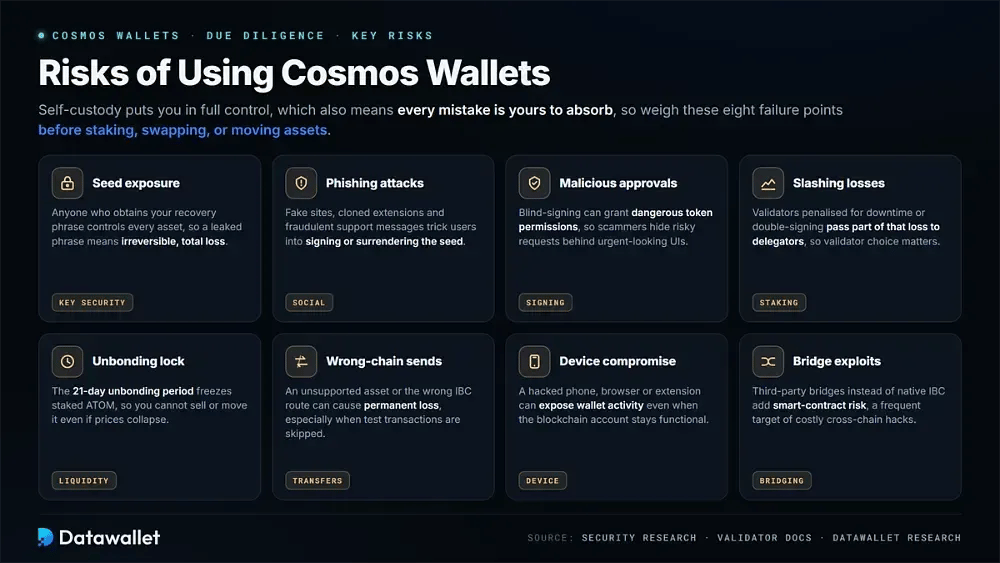
Self-custody puts you in full control, which also means every mistake is your own to absorb, so understanding the common failure points is essential before staking, swapping, or moving assets across the interchain.
Weigh each of these risks before trusting any wallet fully:
- Seed exposure: Anyone who obtains your recovery phrase controls every asset, so a leaked or screenshotted phrase means irreversible, total loss.
- Phishing attacks: Fake wallet sites, cloned extensions, and fraudulent support messages trick users into signing approvals or surrendering their seed phrase.
- Malicious approvals: Blind-signing a transaction can grant dangerous token permissions, so scammers hide risky requests behind urgent-looking or copied interfaces.
- Slashing losses: Validators penalised for downtime or double-signing pass part of that loss to delegators, so poor validator choice carries real cost.
- Unbonding lock: The 21-day unbonding period freezes staked ATOM, meaning you cannot sell or move it even if prices collapse suddenly.
- Wrong-chain sends: Depositing an unsupported asset or using the wrong IBC route can cause permanent loss, especially when test transactions are skipped.
- Device compromise: A hacked phone, browser, or extension can expose wallet activity even when the underlying blockchain account remains fully functional.
- Bridge exploits: Moving assets through third-party bridges rather than native IBC adds smart-contract risk, a frequent target of costly cross-chain hacks.
Final Thoughts
Selecting the best Cosmos wallet in 2026 means weighing security features like air-gapping and multisig against convenience and advanced capabilities such as cross-chain swaps and EVM reach. As IBC Eureka pulls Ethereum and Bitcoin into the interchain, that balance matters more than ever for everyday users.
Whether you are a seasoned interchain user or a newcomer, the wallets above cover every profile, from Keplr's all-around depth to Keystone's cold-storage rigor. For most people, pairing a hardware device with Keplr or Cosmostation remains the strongest mix of security and full ecosystem access.
Our Methodology
We evaluated each wallet by repeating the workflow a real Cosmos user follows: installing it, creating and backing up an account, delegating ATOM to a validator, claiming rewards, executing an IBC transfer, connecting to appchain dApps, and testing hardware pairing where relevant.
Six criteria shaped the final ranking, and we weighted each against how much it affects day-to-day interchain use rather than headline feature counts that rarely matter in practice:
- Chain coverage: We checked native support for Cosmos Hub, major appchains, and non-Cosmos networks, plus how reliably IBC routing worked.
- Staking tools: We assessed delegation, redelegation, reward claiming, unbonding visibility, and validator analytics across multiple chains from a single interface.
- Security model: We compared self-custody controls, hardware pairing, audits, biometric options, and how clearly each wallet presented signing and permission risk.
- User experience: We tested interface clarity across extension and mobile, including onboarding, portfolio views, chain switching, and overall workflow friction.
- Swap and bridge: We reviewed built-in swap routing, aggregator pricing, and cross-chain transfer flows to gauge cost and reliability under real use.
- Track record: We weighed years in operation, breach history, community trust, and how quickly each team ships new chains and fixes.
Wallet features, chain support, and IBC tooling evolve quickly as the interchain expands, so our testing and review cycle ran from March to June 2026, with ratings grounded in documented support, live workflow checks, and our team's hands-on Cosmos experience.