Can I Buy Bitcoin with Afterpay?
No. Afterpay's credit rules exclude exchanges on two grounds. Its Australian merchant agreement prohibits financial services or products under Pay in 4. Cash equivalents also appear on the restricted list alongside gift cards and reloadable cards. Exchanges fall into both categories, which keeps the Afterpay button off licensed platforms' deposit pages.
The Afterpay Card offers no workaround. This virtual card sits in Apple Pay or Google Pay, while the Plus version is an invitation-only subscription at $9.99 a month that works at most tap-to-pay terminals. Afterpay's help pages still list financial transactions among its merchant exclusions. When we tried the Plus Card at an exchange card checkout, the authorisation was declined. Paying through Apple Pay still requires approval for an Afterpay loan.
You can use the debit card or bank account that covers your instalments to pay a licensed exchange directly. Bank transfers avoid fees and borrowing. Australian customers can send an instant PayID or Osko transfer from the bank that issued their linked card, subject to its crypto rules. US customers can use ACH, while UK customers can use Faster Payments.
How to Buy Crypto with Afterpay
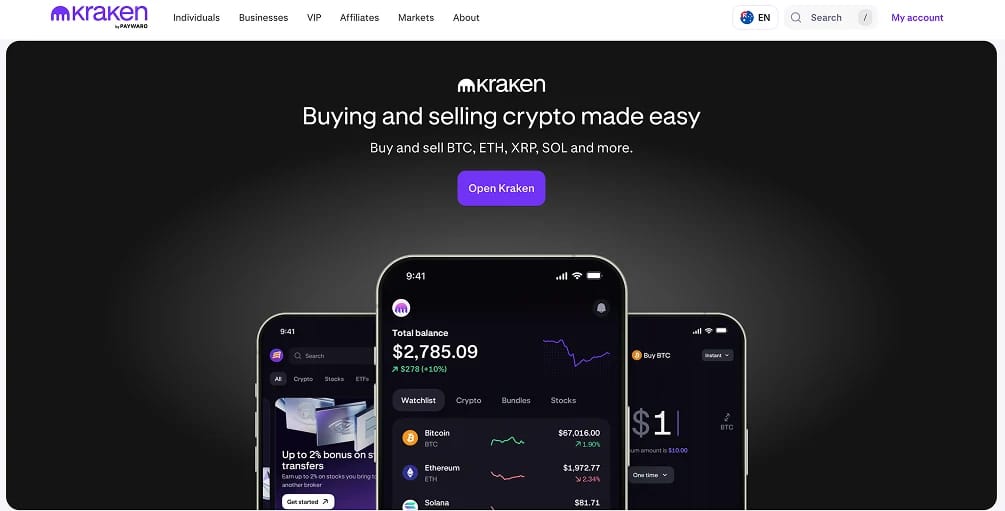
For Afterpay customers, the cheapest route is to transfer money from the account linked to the app into Kraken, then place a limit order on the BTC/AUD, BTC/GBP or BTC/USD order book. The order fills only at the price you set. Bank deposits are free in all three currencies, with nothing owed afterwards.
Steps to buy crypto as an Afterpay customer:
- Open a Kraken account and pass verification: Register at Kraken using a passport or driving licence and a proof-of-address document. Bit Trade Pty Ltd verifies Australian accounts. In the UK, the FCA's promotion rules require a 24-hour cooling-off period between registration and the first trade.
- Find the account that pays your instalments: In the Afterpay app, open My Afterpay and check the Preferred Payment Method. Use that account to fund Kraken.
- Copy the deposit details: Choose Deposit in Kraken, select AUD, then Bank Transfer/Osko. Kraken displays a PayID email address along with a BSB and account number. UK customers should select GBP and Faster Payments. US customers select USD and link their bank account through Plaid for ACH.
- Check your bank's crypto policy before sending: Your linked card's bank sets the payment limits. CommBank holds first payments to exchanges for 24 hours and caps exchange payments at $10,000 a month. Westpac applies its own checks. Send $50 first, allowing for a hold of up to a day on the first PayID payment to a new payee.
- Buy with a limit order on Kraken Pro: After the deposit arrives, open BTC/AUD in Kraken Pro and place a limit order. Entry-tier fees are 0.40% maker and 0.80% taker. A limit order that waits in the order book therefore costs half as much as a market order. The app's Buy screen charges 1% plus a spread included in the quoted price.
Our first PayID transfer from CommBank to Kraken was held overnight. The second arrived before we closed the banking app.
Fees and Limits for Afterpay Customers
Afterpay charges for credit; exchanges charge for trading. A bank-funded crypto purchase incurs only the exchange's costs.
Afterpay costs and limits
- Pay in 4 (Australia): No interest or fees when payments arrive on time. Late fees are $10 per missed instalment plus $7 after seven days, capped at the lower of 25% of the order or $68. New customers start with a spending limit near $600 and undergo an illion credit check at sign-up.
- Afterpay Plus (Australia): The invitation-only subscription costs $9.99 a month. Australia's Low Cost Credit Contract rules cap fees at $200 in the first year and $125 annually thereafter. Financial transactions remain excluded.
- Pay Monthly (Australia): Spending limits range from $1,000 to $20,000. Applications are assessed separately from Pay in 4, and purchases are limited to participating merchants.
- Pay in 4 (US): Late fees reach $8 per missed instalment, capped at 25% of the order. Pay Monthly has an APR of up to 35.99%. First Electronic Bank issues fee-bearing loans.
- Afterpay on Cash App Card (US): A flat 7.5% finance fee applies to loans of $1 to $1,000 repaid over 42 days. Block illustrates this with a $240 purchase that costs $258, equivalent to a 65.15% APR. The product converts Cash App Card purchases of $25 or more anywhere Visa is accepted, which on paper includes an exchange's card checkout.
- Clearpay (UK): Late fees are £6 per instalment plus £6 after seven days, capped at the lower of £24 or 25% of the order. Clearpay Finance Ltd operates under the FCA's temporary permissions regime while its full authorisation is assessed.
Kraken fees
- AUD deposit: PayID and Osko deposits are free and instant, with a $5 minimum. The bank account name must match your Kraken account. Standard accounts have limits of $10,000 a day and $40,000 per rolling 30 days.
- GBP and USD deposit: Kraken charges no fee for Faster Payments or ACH through Plaid.
- Trading: Below $2,500 in 30-day volume, Kraken Pro charges 0.40% maker and 0.80% taker. Those rates fall to 0.30% and 0.60% above that threshold, then to 0.22% and 0.38% from $10,000. Instant Buy in the app costs 1% plus spread.
- Card, Apple Pay and Google Pay: These methods cost 3.75% plus 25 cents on top of trading fees. An Afterpay Card would use this checkout if accepted.
- Crypto withdrawal: Only the network fee applies, putting the cost of sending Bitcoin to your own wallet at a few dollars.
A hypothetical $500 exchange card purchase financed through Afterpay on Cash App Card would incur a $19.00 card fee. The 7.5% finance fee on the resulting $519 loan would add $38.93. Together, those charges consume $57.93, or 11.6%, before Bitcoin's price changes. Sending the same $500 by ACH or PayID and buying through a limit order on Kraken Pro costs $2.00.
Best Exchanges for Afterpay Customers
An exchange should be registered in your country and offer free bank transfers in your currency. Afterpay operates in Australia, the US, the UK, New Zealand and Canada. Kraken and Coinbase are registered in Australia, the UK, the US and Canada. CoinSpot serves Australia, while Swyftx covers Australia and New Zealand, Afterpay's home markets.
Afterpay Cryptocurrency Policy
Afterpay does not offer or finance crypto. Its merchant agreement excludes financial products and restricts cash equivalents, covering exchange deposits. It can also withdraw service from activities it considers high risk on five business days' notice.
Parent company Block sells Bitcoin through Cash App, with no fee or spread on purchases above $2,000 or recurring buys since February. However, Afterpay on Cash App Card does not cover in-app Bitcoin purchases. Our guide to buying crypto with Cash App explains that separate service.
Afterpay's lending obligations vary across its main markets:
- Australia: Buy now pay later contracts have fallen under the National Credit Code since 10 June 2025. Afterpay holds Australian Credit Licence 527911 and must conduct credit checks at sign-up and assess spending-limit affordability.
- UK: Clearpay's interest-free instalment credit became FCA-regulated on 15 July, giving customers affordability checks and access to the Financial Ombudsman.
- US: First Electronic Bank issues fee-bearing Afterpay loans under state lending licences. These lending arrangements remain separate from Cash App's Bitcoin service.
About Afterpay
Nick Molnar and Anthony Eisen founded Afterpay in Sydney in 2014, building a pay-in-four instalment product for online fashion retailers. The company listed on the ASX in 2016. In August 2021, Block, then called Square, agreed to acquire it for about US$29 billion. The deal closed on 31 January 2022 and was the largest takeover of an Australian company at the time.
Across markets, purchases split into four payments over six weeks. The first is due at checkout, with the remainder debited from a linked card or account. Afterpay pays the merchant in full and earns a merchant fee, leaving customers who pay on time with no cost beyond the purchase price. Spending limits start low and increase with repayment history. A missed payment freezes the account until it is cleared.
Afterpay uses its original name in Australia, New Zealand and Canada. The US brand has been Cash App Afterpay since March 2025, while the UK business trades as Clearpay through Clearpay Finance Ltd. Block closed Clearpay in Spain, France and Italy in 2023. Afterpay Australia Pty Ltd is also a member of the Australian Financial Complaints Authority, the external dispute body for licensed lenders.
Bottom Line
Afterpay cannot fund Bitcoin purchases because its contracts as a licensed credit provider exclude financial products. If a loan could finance an exchange card checkout, as Afterpay on Cash App Card potentially could, the 7.5% fee would be roughly nineteen times Kraken Pro's 0.40% limit-order fee.
Use the account that pays your instalments to fund Kraken through PayID, Faster Payments or ACH for free. You can trade Bitcoin against local currency on an order book without a repayment due in six weeks.
Check your bank's crypto limits and send a small test payment first. Treat any site promising crypto with Afterpay as a reason to close the tab.