Compare the Best USDT Wallets
1. MetaMask
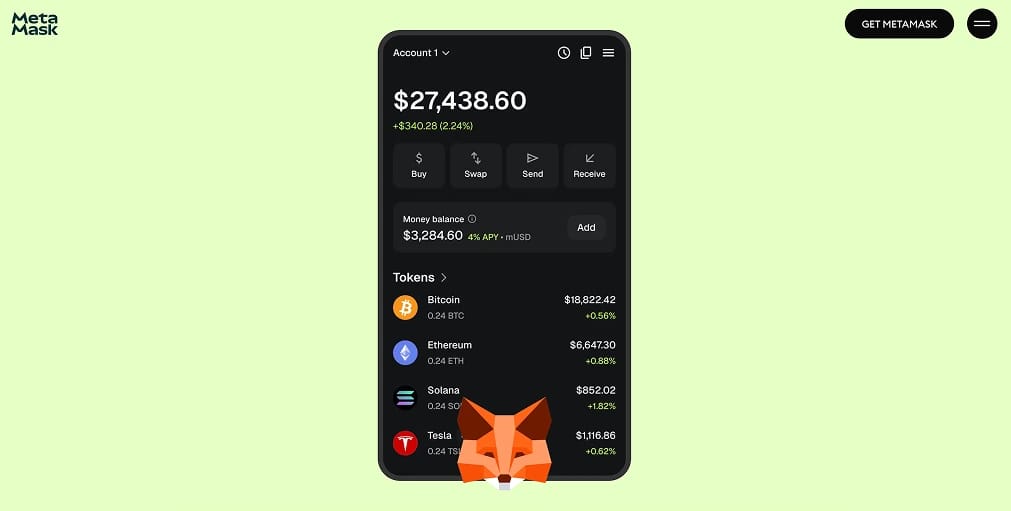
MetaMask is our top USDT wallet overall. It now holds ERC-20, SPL, and TRC-20 Tether within a single account. Its multichain account structure derives Ethereum, Solana, and Bitcoin addresses from one recovery phrase. Native Tron accounts followed in January this year.
Gas Station was a standout feature during our transfer tests. For swaps above $200, it incorporates the network fee into quotes on Ethereum, BNB Chain, and Solana. This means you can exit a USDT position without buying the chain's gas token first. Built-in swaps include a 0.875% service fee within the quote, which becomes costly on larger conversions.
An open-source codebase, transaction previews, and hardware wallet pairing underpin its security. MetaMask's scale makes it a frequent target for fake extensions, but it also supports substantial anti-phishing work. Our MetaMask review explains which settings are worth changing immediately. New users can follow our guide to adding USDT to MetaMask.
Pros
- One recovery phrase covers ERC-20, SPL, and TRC-20 USDT accounts.
- Offers the deepest dapp compatibility among self-custody wallets.
- Gas Station removes the need to hold gas tokens for larger swaps.
- Ledger and Trezor pairing provides hardware signing for substantial balances.
- Roughly 30 million monthly active users help keep integrations current.
Cons
- A 0.875% swap service fee is expensive for frequent conversions.
- Fake extensions and phishing sites regularly impersonate MetaMask.
- Hardware pairing does not currently cover Solana accounts.
- Advanced network settings may overwhelm first-time users.
- Features differ by region and app version.
2. Ledger
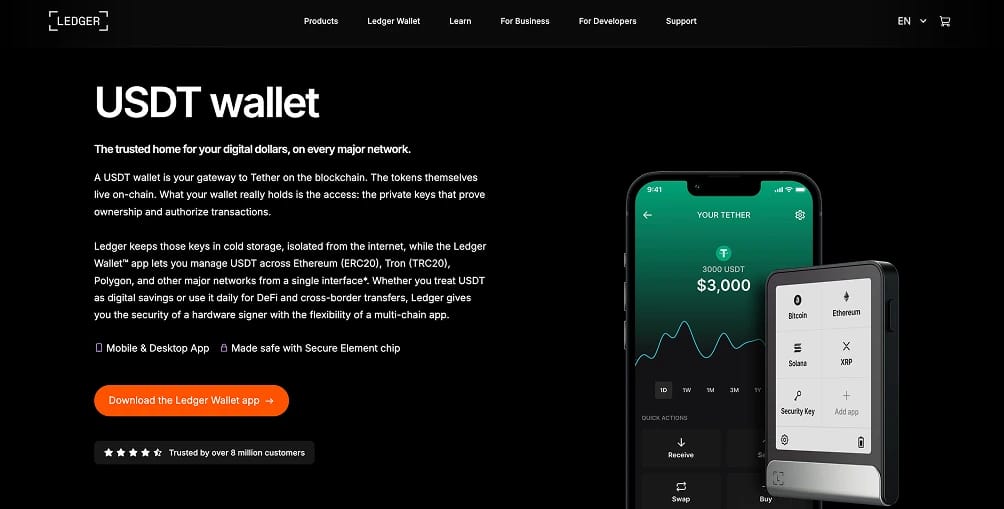
Ledger is our leading hardware wallet for USDT savings. Private keys remain inside a certified Secure Element chip and never reach your computer or phone. For stablecoin holders, we recommend the $179 Nano Gen5. Its touchscreen provides the same protections found in the more expensive Flex and Stax.
Clear Signing is the main reason it ranks so highly. The E Ink display decodes transactions on the device, allowing you to confirm the actual address and amount before approval. Those details remain accurate even if malware changes what appears in your browser. Transaction Check also compares outgoing transfers with known scam patterns before signing.
Our setup test found it straightforward to manage USDT on Ethereum, Tron, Solana, and BNB Chain through the Ledger Wallet app. Tron accounts require activation before TRC-20 balances become visible. Ledger continues to sell the older Nano S Plus and Nano X while stock remains, although production has moved to its touchscreen range.
Pros
- Private keys remain separate from internet-connected devices.
- Clear Signing displays decoded transaction details on a secure screen.
- Manages USDT across every major issuance network from one app.
- Functions as a signing device for MetaMask, Phantom, and TronLink.
- Newer devices include a Recovery Key backup card.
Cons
- Requires an upfront hardware purchase, unlike free software wallets.
- The physical device is needed for every outgoing transaction.
- Tron activation and resource management may confuse new users.
- Ledger customer contact data has been exposed in previous breaches.
- Rapid dapp sessions are slower than with a hot wallet.
3. Phantom
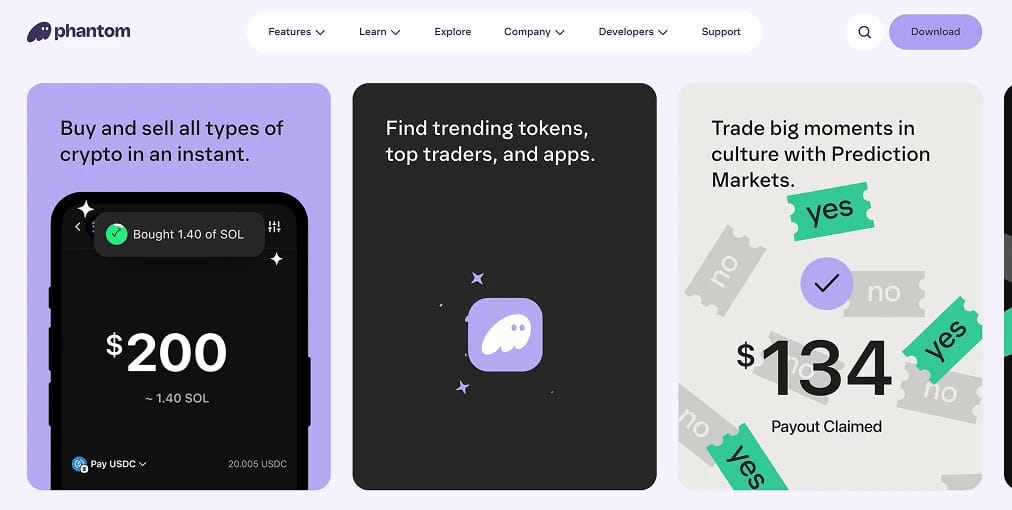
For Solana-based USDT, Phantom is the strongest option. It built its reputation on fast SPL transfers and now supports nine networks: Solana, Ethereum, Base, Polygon, Sui, Monad, Bitcoin, HyperEVM, and Robinhood Chain. According to the company, monthly active users peaked near 17 million last year.
During our cross-chain tests, we could use the network toggle to display only the chains we needed. This reduces the chance of selecting the wrong USDT variant when sending funds. In-app swaps aggregate liquidity across supported networks and charge a 0.85% fee on select pairs. Larger balances can be secured through Ledger pairing.
Phantom Cash expands the wallet beyond trading by combining a dollar balance with a Visa card, bank transfers, and peer-to-peer payments in eligible regions. Our Phantom wallet review examines its perps, staking, and NFT features alongside the core stablecoin tools.
Pros
- Delivers best-in-class speed and reliability for SPL USDT transfers.
- Its network toggle lowers the risk of wrong-chain transfers.
- Built-in scam detection and transaction simulation help beginners.
- Phantom Cash supports card spending and payments in eligible regions.
- Ledger pairing enables hardware-backed signing.
Cons
- TRC-20 USDT requires another wallet because Tron is unsupported.
- BNB Chain and Arbitrum are also missing from the network list.
- The 0.85% swap fee is charged in addition to network costs.
- Payment tools are restricted by region and require identity checks.
- Its trading-focused interface may distract storage-only users.
4. Trezor
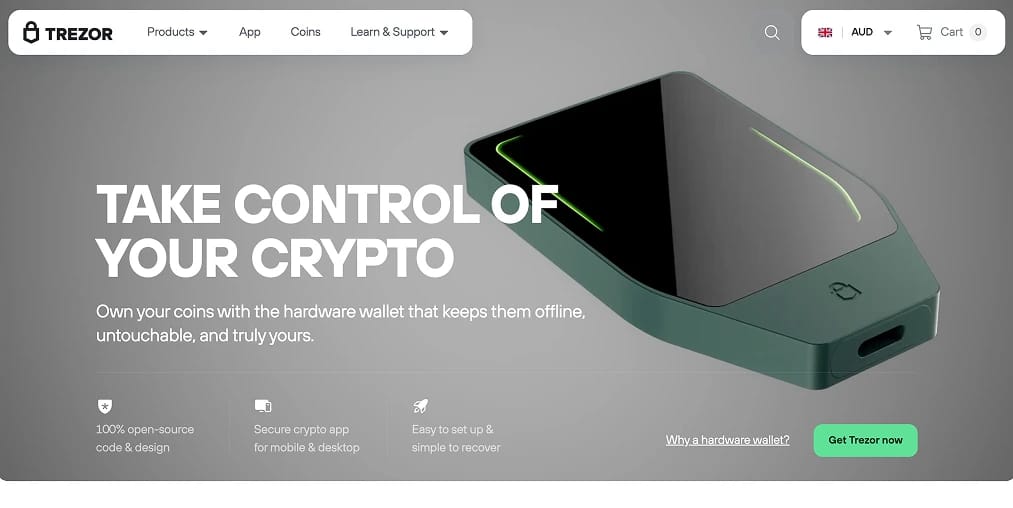
Trezor takes the second hardware wallet position. Unlike Ledger's partly closed code, its firmware is fully open source. Our preferred model for USDT holders is the $169 Safe 5, which combines an EAL6+ certified secure chip with a Gorilla Glass touchscreen for verifying addresses on the device.
Trezor Suite natively supports Tether on Tron, Ethereum, Solana, BNB Smart Chain, Polygon, Arbitrum, Base, and Optimism. TRC-20 support is available on every current model except the Model One. Suite warns that a USDT transfer can consume around 64,000 Energy, Tron's prepaid fee resource. That requirement can roughly double if the recipient holds no Tether.
The 20-word SLIP-39 backup was the most impressive feature in our testing. Recovery can be divided among multiple shares, preventing one discovered note from compromising the wallet. Trezor's $79 Safe 3 uses the same secure chip but omits the touchscreen. Our Ledger versus Trezor comparison examines both brands directly.
Pros
- Fully open-source firmware supports independent security reviews.
- Trezor Suite natively supports TRC-20, ERC-20, and SPL USDT.
- SLIP-39 multi-share backups eliminate a single recovery point of failure.
- The touchscreen confirms addresses directly on the device.
- Safe 3 provides the same secure chip at a lower price.
Cons
- Tron transactions burn TRX until native Energy staking reaches Suite.
- Fewer third-party wallet integrations than Ledger.
- Safe 5 uses USB-C only, with no wireless signing option.
- Tron support is unavailable to Model One owners.
- Storage is the sole focus, with no dapp browser or built-in payments.
5. TronLink
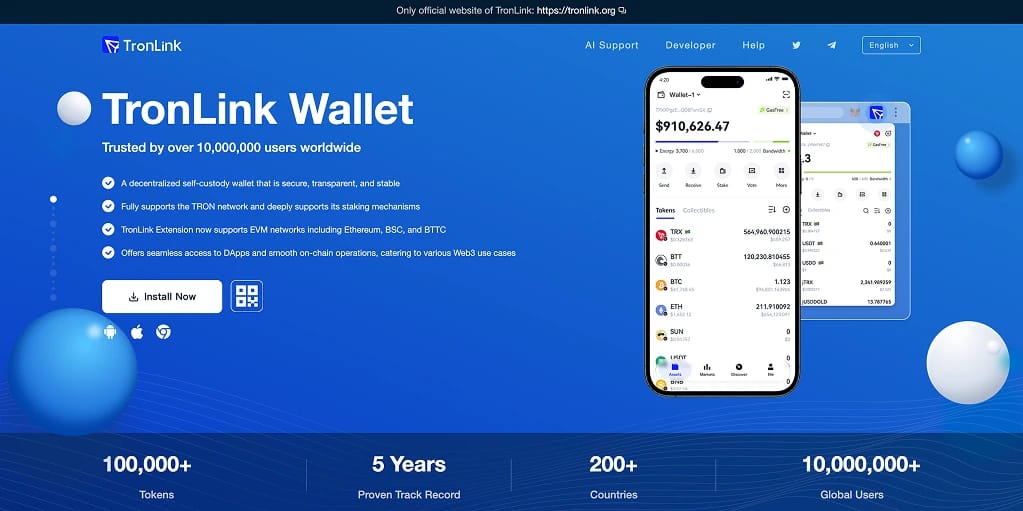
TronLink remains the specialist wallet for balances held primarily on Tron. It supports TRX alongside TRC-10, TRC-20, and TRC-721 tokens, and claims more than 10 million users. Among mainstream wallets, it is the only option that exposes Tron's Energy and Bandwidth model directly in the interface.
A TRC-20 USDT transfer burns TRX when the account lacks Energy. TronLink allows users to stake TRX for resources or rent Energy when required, potentially reducing transaction costs substantially. The design is particularly useful for merchants and remitters that move Tether every day.
The extension also supports Ethereum, BNB Smart Chain, and BitTorrent Chain under the same recovery phrase. Even with that broader coverage, we regard TronLink primarily as a Tron wallet. Our best Tron wallets guide compares it with wider multichain alternatives for TRC-20 users.
Pros
- Provides the deepest available Tron dapp, staking, and voting integration.
- Energy staking and rental can sharply reduce USDT transaction costs.
- Multi-signature accounts support teams and merchant treasuries.
- Ledger pairing enables cold-storage signing.
- Its large user base supports extensive guides and troubleshooting resources.
Cons
- Ethereum users may find Energy and Bandwidth difficult to understand.
- Offers limited value for portfolios distributed across non-Tron networks.
- Using one recovery phrase across chains increases the impact of a compromise.
- Malware clones frequently target browser-extension wallets.
- Some tokens must be added manually using their contract address.
6. Coinbase Wallet
Coinbase Wallet, now rebranded as the Base App, closes our rankings. It combines the existing self-custody wallet with a social feed, mini apps, and payments. Passkey onboarding removes the need for a seed phrase at signup, providing the simplest entry into self-custodied USDT.
Supported networks include Ethereum, Base, Solana, Arbitrum, Optimism, Polygon, Avalanche, and BNB Chain. Bitcoin, Dogecoin, and Litecoin are also available on mobile. This remains a USDC-centered ecosystem, so USDT holders receive capable storage and swapping tools while Coinbase's preferred stablecoin gets most of the payment benefits.
Preconfigured networks removed the manual setup that often causes problems for beginners in our daily use. Costs need close attention when moving assets across chains. Bridging to networks other than Base can add a Coinbase fee on top of the network charge, while the lack of Tron support rules out TRC-20 balances.
Pros
- Passkey-based signup and recovery remove seed-phrase anxiety.
- Preconfigured networks reduce manual setup mistakes.
- Design remains consistent across the mobile app and extension.
- Coinbase users receive familiar branding and support materials.
- Social features and mini apps provide functions beyond storage.
Cons
- Tron carries the most USDT, but TRC-20 remains unsupported.
- Bridging away from Base may incur an additional Coinbase fee.
- Ecosystem incentives prioritize USDC over USDT.
- The broad feature set can overwhelm users seeking simple storage.
- Coinbase branding attracts sophisticated impersonation scams.
What is a USDT Wallet?
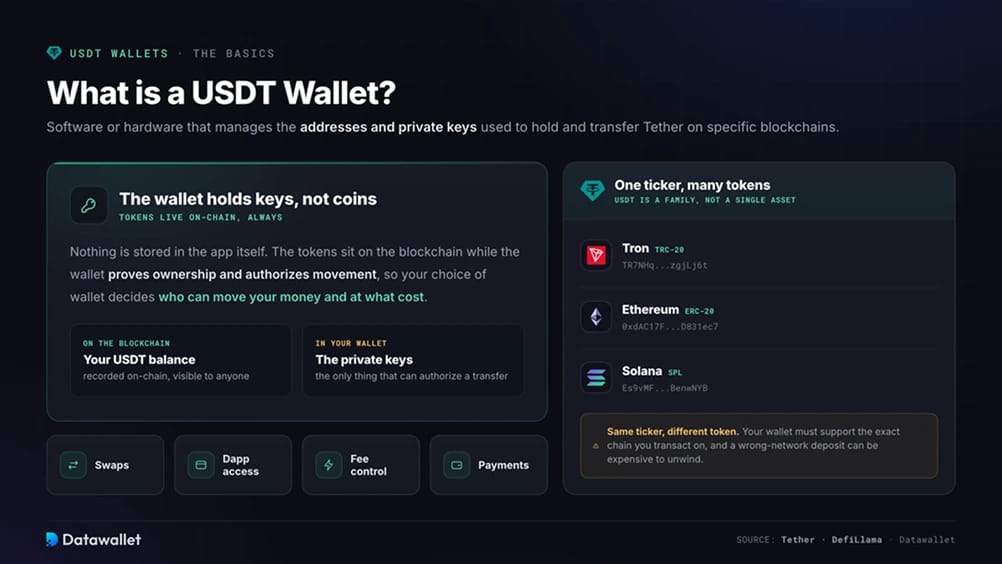
A USDT wallet is a hardware device or software application that manages the private keys and addresses used to transfer Tether on particular blockchains. The tokens remain on-chain rather than inside the app. Your wallet proves ownership and authorizes transactions.
USDT uses a separate token standard on each network, including TRC-20 on Tron, ERC-20 on Ethereum, and SPL on Solana. A wallet must support the specific chain you intend to use. Tokens with the same ticker on different networks have distinct address formats and are not interchangeable.
Current USDT wallets often include swaps, dapp connections, fee management, and payment services. Tether's scale has created a crowded market for these tools. Our USDT statistics page tracks how much Tether they now secure.
Types of USDT Wallets
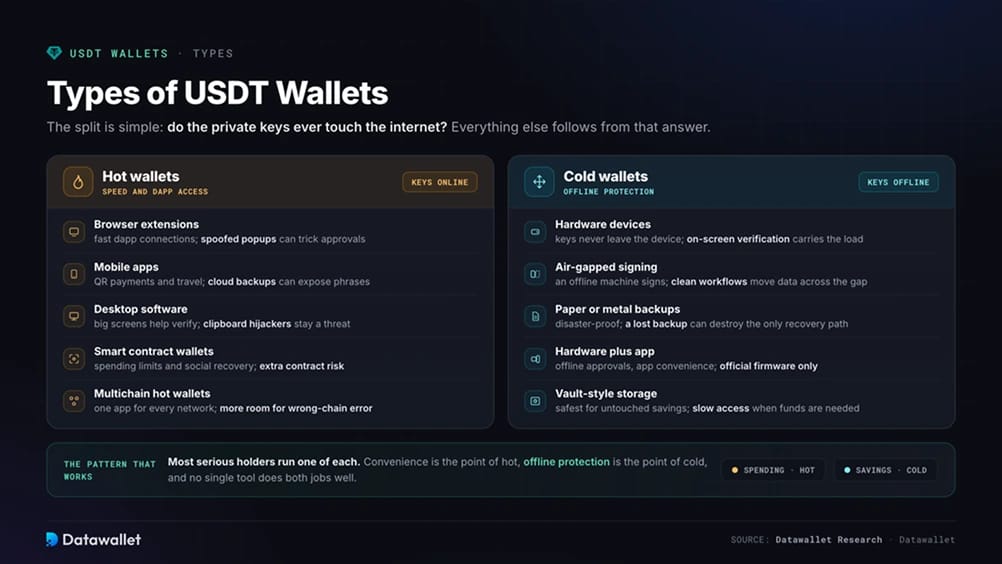
Whether private keys connect to the internet separates USDT wallets into hot and cold designs. Hot wallets prioritize fast transactions and dapp access. Cold wallets provide offline protection, and most serious holders use both. The wider market is covered in our guide to the best crypto wallets.
USDT Hot Wallets
Hot wallets store keys on an internet-connected device, giving users immediate access to sending, swapping, and dapps. That convenience requires careful device security.
Common Hot Wallet Options Include:
- Browser Extension Wallets: Provide quick dapp access, but spoofed popups and fake websites can mislead users into approving transactions.
- Mobile Wallet Apps: Well suited to QR payments and travel, although stolen phones or insecure cloud backups may expose recovery phrases.
- Desktop Software Wallets: Larger displays make addresses easier to inspect, while malware and clipboard hijackers remain significant threats.
- Smart Contract Wallets: Add protections such as spending limits and social recovery, with additional setup requirements and contract risk.
- Multichain Hot Wallets: Manage several networks in one application, creating more opportunities for mistakes when USDT appears under different standards.
USDT Cold Wallets
Cold wallets keep transaction signing offline, typically through dedicated hardware. This makes remote attacks extremely difficult, but places more responsibility on physical security and backup management.
Common Cold Wallet Options Include:
- Hardware Wallet Devices: Keep keys within the device, making screen verification and secure recovery-phrase storage essential.
- Air-Gapped Signing Setups: Use an offline computer to sign transactions and require disciplined procedures for transferring unsigned data.
- Paper or Metal Backups: Offer strong protection against disasters, though losing or damaging the backup may eliminate the only recovery method.
- Hardware Plus Companion App: Combine offline approvals with app-based convenience, provided firmware comes exclusively from official sources.
- Vault-Style Storage: Protect savings that rarely move, with slower access when the funds are eventually needed.
How to Choose a USDT Wallet
Your wallet should match the networks you use, your transaction frequency, and the recovery process if a device stops working. Transaction costs also extend beyond gas fees.
Follow These Practical Selection Steps:
- Confirm Your USDT Network: Before depositing, make sure the wallet supports your precise token standard, whether TRC-20, ERC-20, SPL, or BEP-20.
- Split Hot And Cold Duties: Store spending funds in a hot wallet and long-term savings on hardware instead of relying on one tool for both purposes.
- Check Every Chain You Plan To Touch: Missing support for one network could force you to bridge funds or install another wallet later.
- Price The Full Fee Stack: Account for swap service fees, provider spreads, and bridging costs rather than looking only at gas.
- Weigh The Security Features: Scam screening, transaction previews, hardware pairing, and passkey or biometric locks protect against different attacks.
- Rehearse Recovery Before Funding: Use a small balance to restore your seed phrase on a spare device before committing significant funds.
- Judge The Interface Against Your Habits: QR scanning, address books, and clear network labels help prevent common manual errors.
- Download Only From Official Sources: Avoid sponsored search listings and cloned apps designed to steal recovery phrases.
Are Cold Wallets Safer Than Hot Wallets?
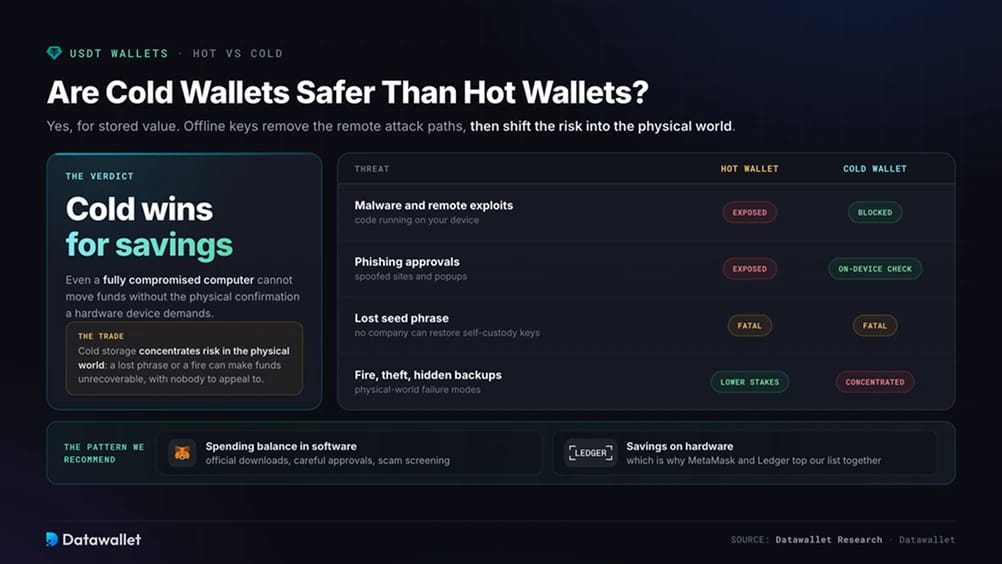
Cold wallets provide stronger protection for stored value because private keys remain offline. Malware, phishing approvals, and remote exploits cannot directly reach them. Even if a computer is compromised, moving funds still requires physical approval on the hardware device.
Physical risks replace many of those online threats. Funds can become permanently inaccessible if a seed phrase is lost, a backup is poorly secured, or fire destroys the recovery materials. Users must also verify addresses on the device screen instead of approving transactions automatically.
Hot wallets remain appropriate for working balances when users download official software, inspect approvals carefully, and enable scam screening. We recommend keeping savings on hardware and spending funds in software. This complementary setup is why MetaMask and Ledger occupy the first two positions.
Which Network is Best for USDT?
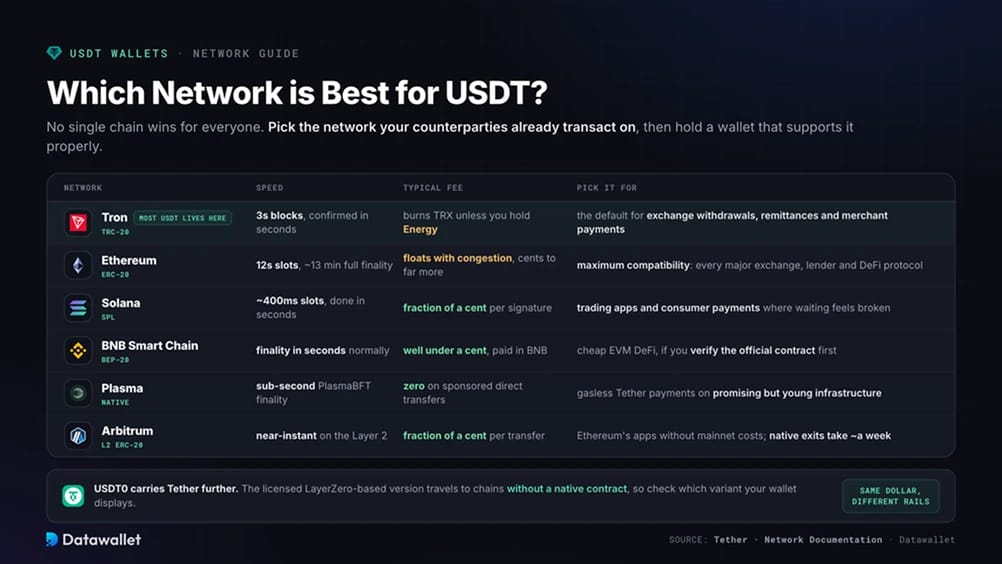
There is no single best network for every USDT holder. Speed, fees, and ecosystem depth vary, so start with the chain already used by your counterparties. Your chosen wallet must then support it properly.
1. Tron (TRC-20)
- Transaction Speed: Blocks arrive every 3 seconds, with most transfers confirming within seconds.
- Fees: USDT transfers burn TRX unless the account has Energy obtained through staking or rental.
- Security: Uses delegated proof of stake with 27 elected Super Representatives, giving it a smaller validator set than Ethereum.
More USDT circulates on Tron than any other blockchain. As a result, TRC-20 is widely used for exchange withdrawals, merchant transactions, and remittances. Our TRC-20 USDT explainer examines the standard in detail.
2. Ethereum (ERC-20)
- Transaction Speed: Slots occur every 12 seconds, while full economic finality takes roughly 13 minutes.
- Fees: Costs fluctuate with congestion, ranging from a few cents during quiet periods to much more in busy markets.
- Security: Provides the deepest liquidity, institutional integration, and audit coverage of any USDT venue.
Choose ERC-20 when broad compatibility is the priority. Every major exchange, lender, and DeFi protocol supports it, although fees can rise sharply during busy periods.
3. Solana (SPL)
- Transaction Speed: Slots run at around 400 milliseconds, and most services consider transfers complete within seconds.
- Fees: Each signature has a base fee of 5,000 lamports, worth a fraction of a cent, plus optional priority fees.
- Security: Uses a high-throughput architecture, with stronger commitment settings recommended for large transactions.
SPL USDT works well for consumer payments and trading apps where delays create friction. Phantom and MetaMask both support it natively.
4. BNB Smart Chain (BEP-20)
- Transaction Speed: Under normal conditions, fast block production delivers finality within seconds.
- Fees: Transfers generally cost well under one cent and are paid in BNB.
- Security: Its large EVM ecosystem supports inexpensive deployment, which also attracts copycat tokens and makes contract verification important.
BEP-20 suits low-cost transfers and EVM DeFi. Before using it, verify the official USDT contract rather than relying on a ticker search.
5. Plasma
- Transaction Speed: PlasmaBFT consensus targets sub-second finality for high payment volumes.
- Fees: The network sponsors direct USDT transfers at zero cost for verified users.
- Security: This newer proof-of-stake network launched its mainnet beta in September 2025 with about $2 billion in stablecoin liquidity on its first day.
Plasma removes the need for a gas token when making basic Tether payments. We view it as promising young infrastructure rather than a suitable network for long-term savings.
6. Arbitrum (Layer 2 ERC-20)
- Transaction Speed: Confirmations on the Layer 2 feel nearly immediate.
- Fees: Transfers cost a fraction of a cent, considerably less than Ethereum mainnet.
- Security: Arbitrum settles on Ethereum and inherits its guarantees, but native mainnet withdrawals take about one week.
Arbitrum is a practical choice for users seeking Ethereum's application ecosystem without mainnet fees, provided the withdrawal period matches their needs.
USDT also moves across networks through USDT0, a licensed LayerZero-based version that brings Tether to chains without a native contract. Our USDT vs USDT0 comparison explains when this distinction matters.
USDT Trends to Know Before Picking a Wallet
Tether addressed its longest-standing criticism this August when KPMG published an unqualified opinion on its full financial statements. It was the company's first Big Four audit. The accounts showed approximately $183 billion of USDT in circulation, backed by reserves exceeding liabilities by $6.8 billion.
Regulation now affects which Tether product is available in each region. USAT was launched through Anchorage Digital for the American market under the GENIUS Act. USDT remains offshore, while MiCA rules exclude it from regulated retail venues in the European Economic Area. Check the variant displayed in your wallet because it can depend on where you made the purchase.
From September 2025, Tether ended direct issuance and redemption on Omni, Bitcoin Cash SLP, Kusama, EOS, and Algorand. Holders should therefore keep balances on active chains. Purpose-built networks including Plasma and Stable are also structuring their blockchains around USDT, either accepting fees in the stablecoin or eliminating them.
Cross-chain transfers are becoming more standardized. USDT0 processed over $63 billion in transfers during its first year and has expanded to more than a dozen networks. Wallets that identify LayerZero-based balances correctly are consequently becoming more useful. Holders should favor products that update promptly because USDT's network coverage continues to change.
Final Thoughts
MetaMask is the best USDT wallet for most users. One account now supports Ethereum, Solana, and Tron, which carry most Tether activity. Hardware wallet pairing is also available as balances increase.
Any savings that would be painful to lose should sit on a Ledger device. Clear Signing and offline private keys remove the remote attack methods responsible for many hot-wallet losses. Together, MetaMask and Ledger cost less than many users lose through one mistaken signature.
Choose the network before funding your wallet. TRC-20 transfers should use a product that understands Tron's fee system, while Tether can be purchased through one of the best USDT exchanges before withdrawal to self-custody.