Compare Top Tron and TRC-20 Wallets
1. TronLink
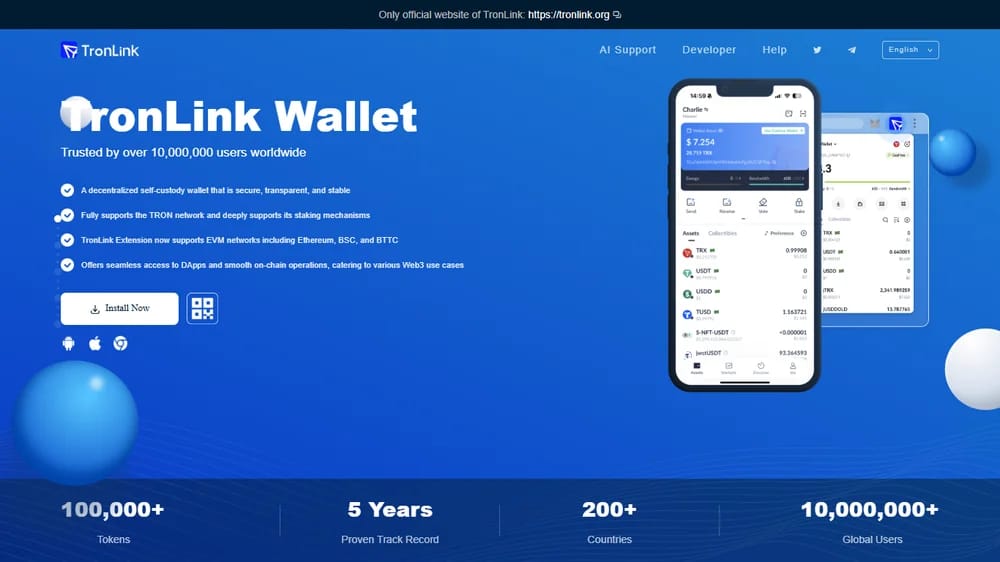
TronLink is our best overall pick because it is built specifically around TRON rather than treating TRX as just another asset. The official site says it supports TRX, TRC-10, TRC-20, and TRC-721 tokens, with deep staking and resource-management support for TRON users.
We also like that TronLink is available across browser extensions and mobile-style workflows, making it practical for transfers, dApps access, voting, and staking. Its official site says the wallet is trusted by over 10 million users, which gives it stronger ecosystem credibility than most TRON-focused alternatives.
The main reason we keep TronLink first is usability inside the TRON ecosystem. We like seeing TRON-native functions exposed directly, but we dislike that users managing many non-TRON chains may still prefer a broader multichain wallet for everyday portfolio tracking and cross-chain activity.
Pros
- Native TRX, TRC-10, TRC-20, and TRC-721 support.
- Strong TRON staking, voting, dApps, and resource tools.
- Large user base with over 10 million global users.
Cons
- Less flexible than broad multichain wallets for non-TRON assets.
- Browser-extension users still need careful phishing protection.
- Advanced TRON resource settings may confuse complete beginners.
2. Ledger Nano X
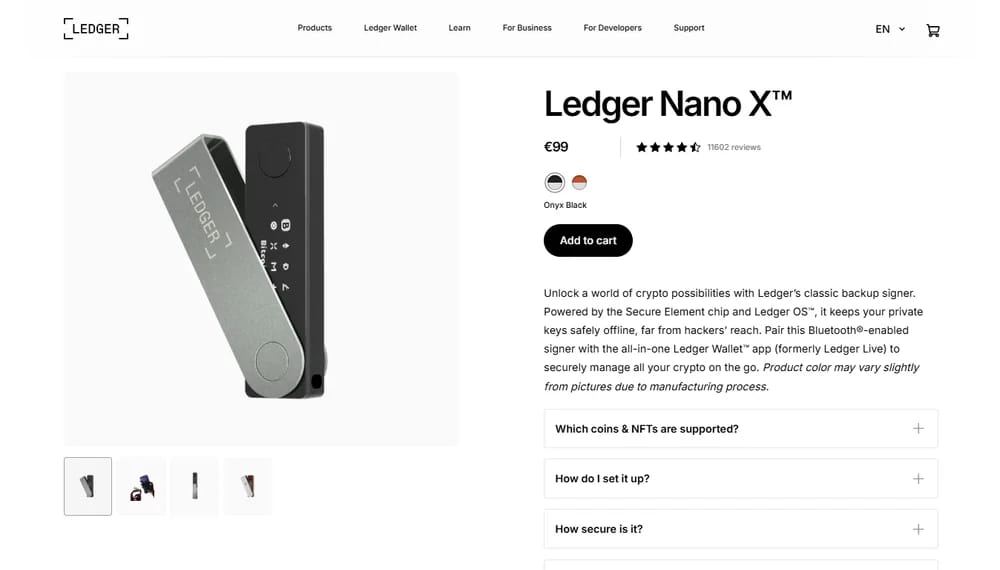
Ledger Nano X is our pick for users who want cold storage for larger TRX or TRC-20 balances. It is a paid hardware wallet, with Ledger’s official support page listing Nano X at $99 excluding VAT / €99 including VAT, so it costs more upfront than free TRON software wallets.
We like Nano X because the price buys private-key separation, not another hot wallet interface. Ledger says the device uses a Secure Element chip, Ledger OS, and a trusted display, while Bluetooth support lets users connect through iOS, Android, and desktop workflows.
The trade-off is convenience. We like using Ledger for long-term TRX, USDT TRC-20, and treasury-style holdings, but we dislike the extra steps for quick transfers. It makes sense when offline signing is worth paying for, not for constant TRC-20 movement.
Pros
- Official Ledger pricing lists Nano X at $99 / €99.
- Offline signing adds stronger protection for larger TRON balances.
- Bluetooth support helps mobile users approve transactions securely.
Cons
- Paid hardware wallet, unlike free TRON software wallets.
- Slower for frequent TRC-20 transfers and everyday swaps.
- Requires careful recovery phrase and physical device storage.
3. Trust Wallet
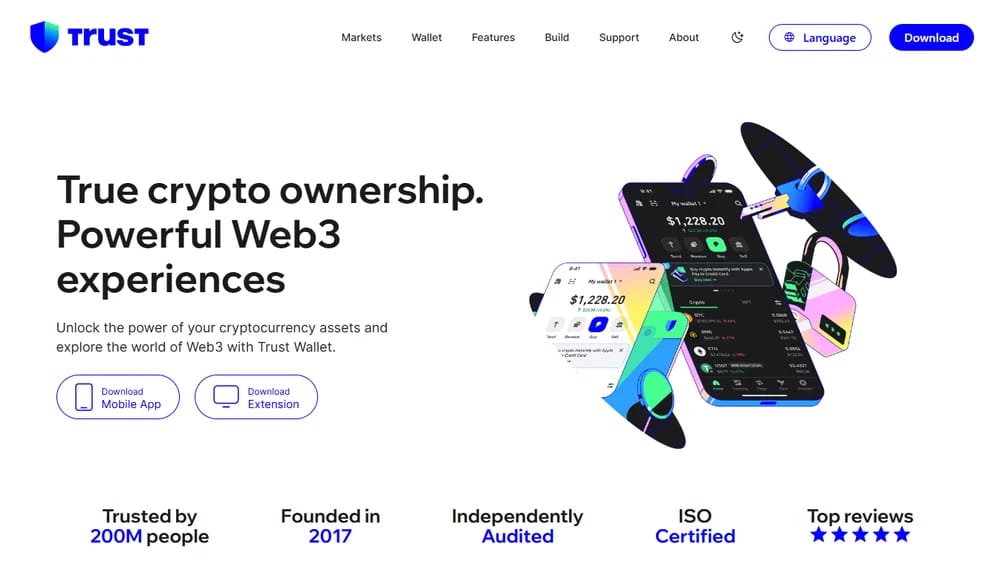
Trust Wallet earns its place for users who want a simple mobile-first TRON wallet without losing multichain flexibility. Its official TRON page supports storing, sending, receiving, and exchanging TRX, while the main site positions Trust Wallet as a self-custody platform trusted by 200 million people.
We like Trust Wallet for users who move between TRON, Ethereum, BNB Chain, and other networks from one app. For TRON specifically, it supports wallet controls where only the user holds the private keys or recovery phrase, while features like Security Scanner and Encrypted Cloud Backup add convenience.
What we dislike is that Trust Wallet is not as TRON-native as TronLink. It is excellent for mobile asset management, receiving USDT TRC-20, and basic swaps, but heavy TRON users may miss deeper staking, voting, bandwidth, and energy controls in a dedicated ecosystem wallet.
Pros
- Mobile app and browser extension support broad Web3 access.
- Trusted by 200 million people, according to Trust Wallet.
- User controls private keys and recovery phrase directly.
Cons
- Not as TRON-specialized as TronLink for power users.
- Token/network selection mistakes can still cause transfer issues.
- Advanced TRON resource controls are less prominent.
4. MetaMask
MetaMask is now a serious TRON option because it added native TRON account support in 2026. Its official announcement says users can manage TRX and TRC-20 tokens, stake TRX, transact across networks, and use TRON without relying on a separate wallet.
We like MetaMask for users who already use it as their main Web3 wallet. The support documentation says MetaMask supports TRON by default, including TRX, USDT, other assets, transaction-fee guidance, transfers, and staking or unstaking TRX from the wallet experience.
The downside is that MetaMask still feels Ethereum-first in brand, workflow, and user expectations. We like the consolidation, especially for multichain users, but we dislike that TRON specialists may still prefer TronLink for deeper native ecosystem tooling and a cleaner TRON-only interface.
Pros
- Native TRON support added across MetaMask wallet workflows.
- Good fit for existing MetaMask and EVM users.
- Supports TRX, TRC-20 tokens, staking, and transfers.
Cons
- Less TRON-native than wallets built around TRON first.
- Interface may feel crowded for single-chain users.
- New TRON support may require user education.
5. Atomic Wallet
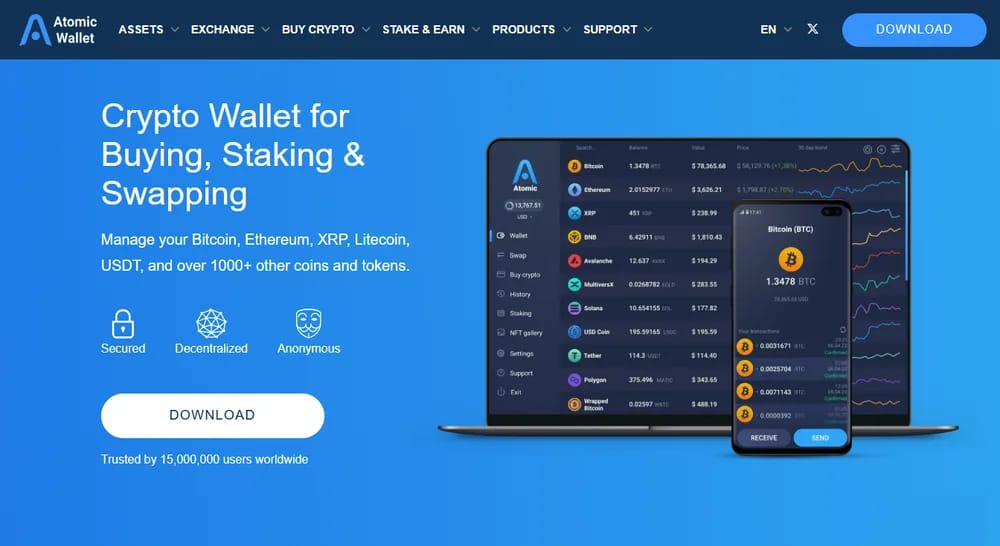
Atomic Wallet fits users who want TRON support inside a broad self-custody portfolio app. The official site says it supports 1,000+ coins and tokens, with portfolio management, buying, swapping, and staking tools built into the same wallet interface.
We like Atomic Wallet for users who hold TRX alongside many other assets and do not want separate apps for every chain. Its staking page highlights 20+ staking assets, 30+ supported blockchains, and private-key control, which gives long-term holders more portfolio utility.
What we dislike is that Atomic is broader than TRON-specialized. Its official TRON wallet page emphasizes private-key ownership, multi-asset support, and built-in tools, but users focused on dApps, TRON voting, and resource optimization may still get a richer experience from TronLink.
Pros
- Supports 1,000+ coins and tokens in one app.
- Built-in buy, swap, portfolio, and staking tools.
- Private keys stay under user control locally.
Cons
- Less focused on TRON-native dApps activity.
- Built-in swaps may not suit fee-sensitive users.
- Power users may want deeper resource-management controls.
6. Exodus
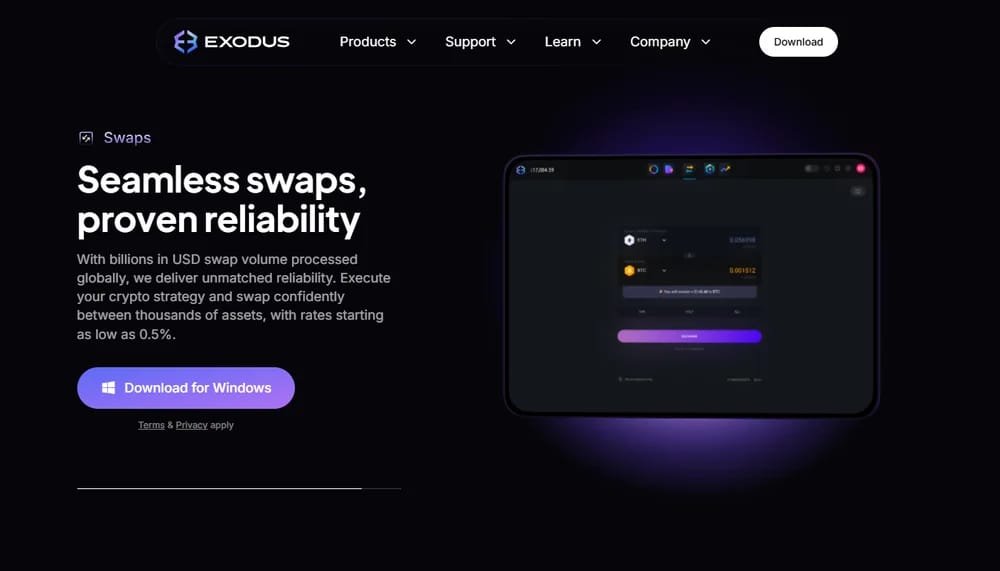
Exodus is a strong choice for users who prefer polished desktop and mobile portfolio management. Its TRON wallet page highlights secure TRX management, swaps, mobile face or fingerprint scanning, and syncing between desktop and mobile wallets for access across devices.
We like Exodus because it feels approachable without stripping away key TRON functionality. Its support page says Exodus Mobile, Exodus Desktop, and Ledger in Exodus Mobile support TRON, TRX, and TRC-20 tokens, which makes it useful for users holding USDT on TRON.
The limitation is ecosystem depth. We like Exodus for tracking balances, managing TRX, and keeping a clean portfolio view, but we dislike that Exodus Web3 Wallet does not support the TRON network and Exodus does not support TRC-10 tokens.
Pros
- Clean desktop and mobile experience for TRON holders.
- Supports TRX and TRC-20 tokens on desktop and mobile.
- Mobile biometrics and device sync improve everyday usability.
Cons
- Exodus Web3 Wallet does not support TRON.
- TRC-10 tokens are not supported in Exodus.
- Less suitable for heavy TRON dApps users.
What is TRON Blockchain and TRC-20?
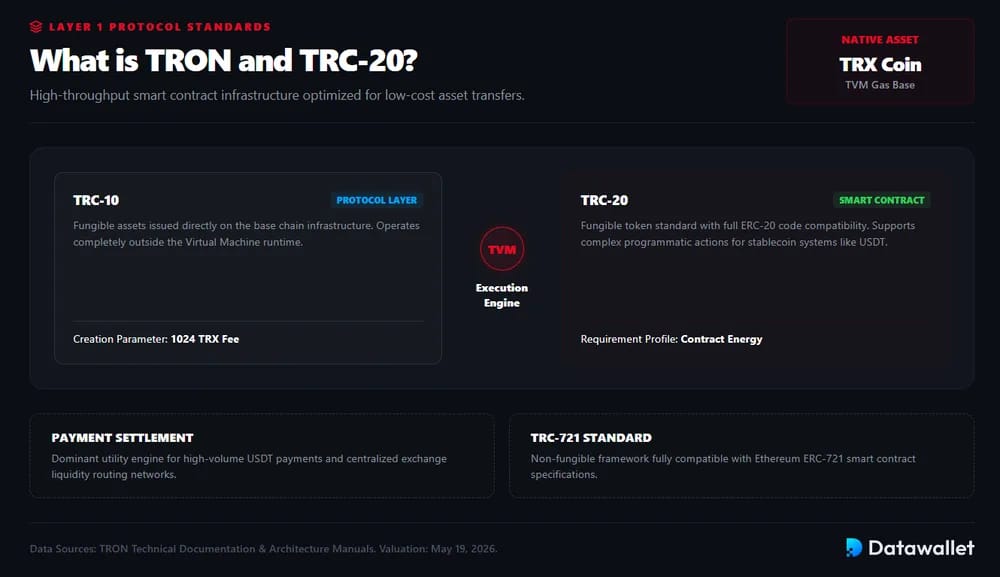
TRON is a Layer 1 blockchain built for fast, low-cost transfers, smart contracts, and consumer-scale applications. Its native coin is TRX, while major TRON assets include stablecoins like USDT and USDD, which are widely used for stablecoin payments, exchange transfers, and DeFi activity.
TRC-20 is TRON’s fungible-token standard for smart contracts on the TRON Virtual Machine, and TRON documentation notes that it is fully compatible with ERC-20. TRON also has TRC-10, a protocol-level token standard, and TRC-721, which is used for NFTs and is compatible with ERC-721.
The standards differ in cost and complexity. TRC-10 tokens do not rely on the TVM and can be issued directly at protocol level, with TRON documentation listing a 1024 TRX creation fee. TRC-20 tokens are smarter and more flexible, but they require contract execution and Energy.
What is Energy and Bandwidth on TRON?
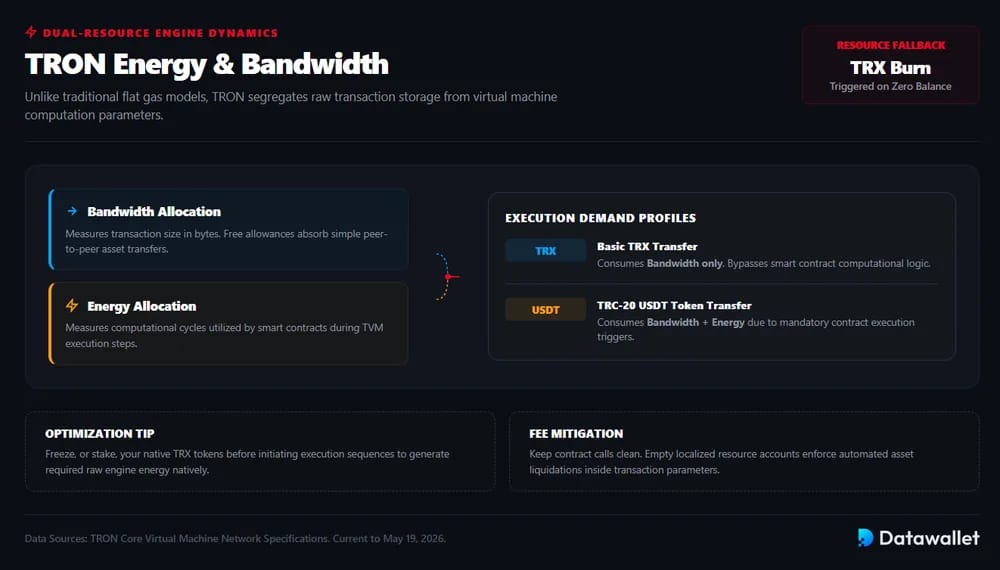
TRON does not work exactly like EVM gas, even though the idea is similar: users consume network resources to execute transactions. Bandwidth measures transaction data size in bytes, while Energy measures the computation required by TVM smart-contract execution, including TRC-20 transfers.
The optimization tip is to manage resources before transacting. Users can freeze, or stake, TRX to receive Bandwidth and Energy, use the daily free Bandwidth allowance for simple transfers, and avoid unnecessary smart-contract calls when sending tokens, swapping, or interacting with dApps.
For example, a basic TRX transfer mainly uses Bandwidth, while a TRC-20 USDT transfer consumes Bandwidth plus Energy because it calls a smart contract. If the wallet lacks resources, TRON burns TRX as the fee, similar to paying gas on Ethereum, but with a split resource model.
What Are Tron Wallets?
TRON wallets let users store TRX, manage TRC-20 tokens, sign transactions, connect to dApps, and control private keys across different custody setups.
Common TRON wallet types include:
- Software: App-based wallets for everyday TRX and TRC-20 transfers, usually free, self-custodial, and easier for swaps, staking, and portfolio tracking.
- Hardware: Physical devices that keep private keys offline, making them stronger for larger TRON balances, long-term USDT storage, and reduced hot-wallet exposure.
- Browser: Extension wallets connect directly to TRON dApps, staking pages, and Web3 tools, offering faster access but requiring stronger phishing awareness.
- Mobile: Phone-based wallets suit quick stablecoin payments, QR transfers, biometric access, push approvals, and users who manage assets away from desktop.
- Desktop: Installed wallets provide larger screens, portfolio views, local encryption, and easier management for users who prefer computer-based asset control.
- Multisig: Permission-based wallets require multiple signatures or weighted approvals, useful for teams, treasuries, shared funds, and higher-value operational security. TRON supports account permission management for multi-person control.
How To Choose The Best TRC 20 Wallet
The best TRC-20 wallet depends on how users balance security, token access, dApps connectivity, resource costs, and convenience across mobile, desktop, browser, and hardware setups.
Step 1: Match The Wallet Type To Your Use Case
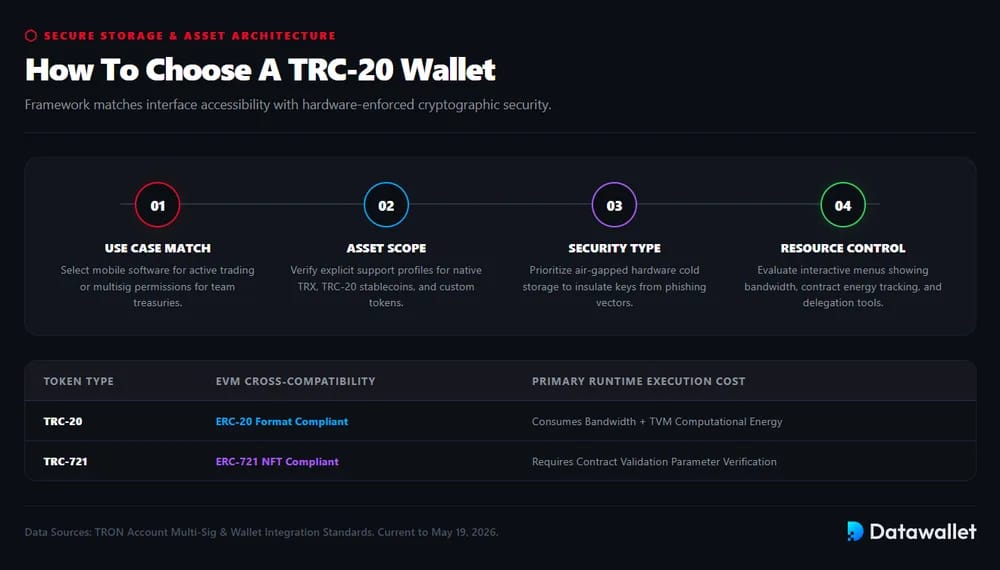
Start with how often the wallet will be used. Active TRC-20 users usually need a software, mobile, or browser wallet for faster transfers, swaps, staking, and dApps access. Long-term holders should consider hardware wallets for offline private-key storage.
TRON also supports account permission management, where multiple private keys can control different permissions on one account. That makes multisig-style setups useful for teams, treasuries, shared funds, and users who want stricter approval rules.
Step 2: Check Token And Network Support
Before depositing funds, confirm the wallet supports the assets users actually plan to hold.
- TRX: Needed for native transfers, staking, and account activity.
- TRC-20: Required for USDT, USDD, and smart-contract tokens.
- TRC-10: Useful for older protocol-level TRON tokens.
- TRC-721: Needed for NFTs issued on TRON.
- Custom Tokens: Important when adding newer or less visible assets.
TRC-20 is TRON’s smart contract token standard and is fully compatible with ERC-20, while TRC-721 is used for NFTs and is compatible with ERC-721. That distinction matters because not every wallet supports every TRON token format equally.
Step 3: Compare Security And Recovery Controls
Security should come before interface design. We prefer wallets that make private-key ownership clear, support secure recovery phrase handling, and reduce phishing exposure. Hardware wallets add offline signing, while software wallets depend more heavily on device security and user habits.
Users should never type a recovery phrase into unknown websites, fake wallet pop-ups, or unofficial apps. MetaMask’s safety documentation warns that recovery phrases control derived accounts, and Ledger explains hardware wallets use recovery phrases to restore access if a device is lost.
Step 4: Review Fees, Resources, And dApps Access
TRON fees depend on Bandwidth and Energy, so the cheapest wallet is not always the most efficient wallet. Users sending TRC-20 tokens often benefit from wallets that clearly show resource usage, staking options, and transaction-cost estimates.
- Bandwidth: Helps cover basic transaction data costs.
- Energy: Covers smart-contract execution, including TRC-20 transfers.
- Staking: Can reduce repeated transaction costs by generating resources.
- dApps: Browser or native integrations matter for swaps and DeFi.
- Approvals: Clear signing screens help avoid malicious token permissions.
Why is TRON Not Supported on All Crypto Wallets?
TRON is not supported everywhere because it is not a standard EVM network, even though TRON’s TVM is largely EVM-compatible. Wallets must handle TRON addresses, TRX fees, Energy, Bandwidth, TRC-10 balances, and TRC-20 contract calls separately from typical Ethereum-style flows.
This is why many EVM wallets historically supported Ethereum, Base, BNB Chain, Arbitrum, or Polygon before TRON. MetaMask is the key exception: on January 15, 2026, it launched native TRON support for TRX, USDT, staking, Bandwidth, and Energy across its multichain wallet.
Phantom is a useful example of how wallet support follows product focus, not just chain popularity. Its support page lists eight networks: Solana, Ethereum, Base, Polygon, Sui, Monad, Bitcoin, and HyperEVM, but not TRON. That means Phantom users still need a TRON wallet for TRX, USDT TRC-20, and TRC-20 dApps.
How to Secure Your TRC20 Wallet
Securing a TRC20 wallet starts with protecting private keys, recovery phrases, approvals, devices, and dApps connections before moving meaningful TRX or stablecoin balances.
Use these habits before storing serious funds:
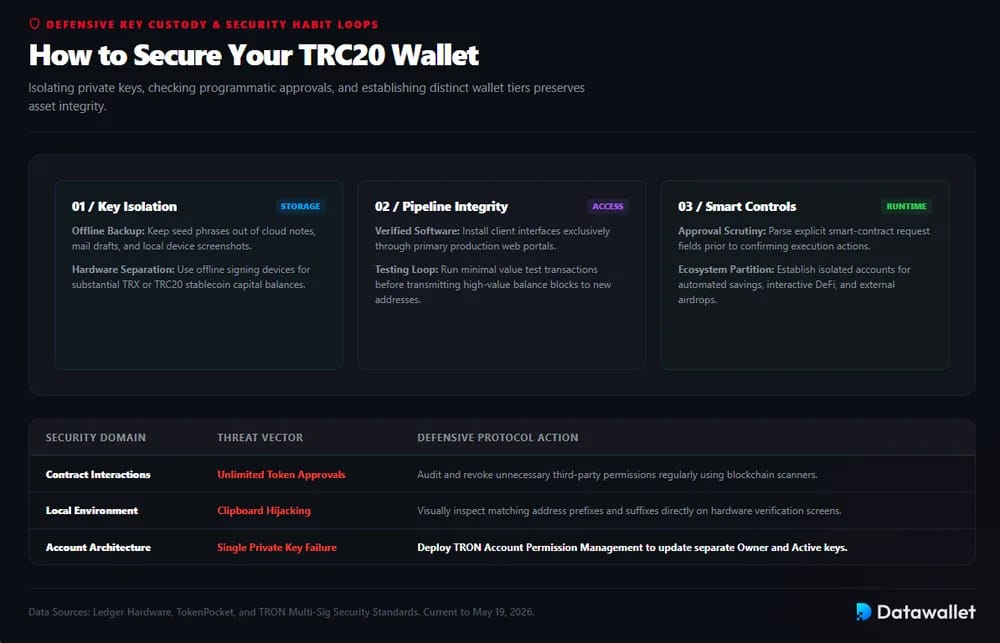
- Backup: Store your recovery phrase offline, since TRON notes that anyone with a private key can fully control wallet assets.
- Secrecy: Never share seed phrases, private keys, screenshots, or cloud notes; Ledger says it will never ask for recovery words.
- Hardware: Use a hardware wallet for larger TRX or USDT balances, especially when long-term storage matters more than transfer speed.
- Downloads: Install wallets only from official sites or app stores, because fake wallet apps often target recovery phrases and wallet approvals.
- Approvals: Review token approvals, dApps permissions, and signing prompts before confirming swaps, staking actions, or TRC20 transfers.
- Testing: Send a small TRX or TRC20 test transaction before moving larger balances to a new address or wallet setup.
- Devices: Keep phones, browsers, extensions, and operating systems updated, with strong passwords, biometrics, and malware protection enabled.
- Separation: Use separate wallets for savings, DeFi activity, airdrops, and high-risk dApps to limit damage from compromised approvals.
Final Thoughts
TRON wallets should match how users actually hold and move assets. TronLink suits active TRON users, Ledger Nano X fits cold storage, while Trust Wallet, MetaMask, Atomic Wallet, and Exodus serve broader multichain needs.
The main difference is not only interface design. TRC-20 transfers, USDT usage, staking, decentralized application access, Bandwidth, Energy, and token-standard support all affect which wallet feels efficient in daily use.
For most users, the best setup combines convenience and separation. Keep smaller TRC-20 balances in a trusted software wallet, use hardware storage for larger holdings, and always verify networks, approvals, and recovery backups.
Our Methodology
We reviewed TRON wallets across software, browser, mobile, desktop, hardware, and multichain categories, then narrowed the list to wallets with clear TRX and TRC-20 support, credible documentation, and practical user access.
Here is how we evaluated each wallet:
- TRON Support: We checked whether each wallet supports TRX, TRC-20 tokens, and where possible TRC-10 or TRC-721 assets, using official wallet pages and TRON token-standard documentation.
- Wallet Type: We compared browser extensions, mobile apps, desktop wallets, hardware devices, and multichain wallets based on how naturally each format supports TRON transfers, staking, dApps, and daily use.
- Token Coverage: We gave stronger scores to wallets that clearly handle TRX, USDT TRC-20, USDD, NFTs, and broader TRON token standards instead of only showing generic crypto asset support.
- Security Model: We reviewed whether wallets are self-custodial, hardware-based, locally encrypted, recovery-phrase controlled, or permission-based, then weighed how suitable each setup is for smaller balances versus long-term storage.
- Resource Tools: We prioritized wallets that make Bandwidth, Energy, staking, and TRON transaction costs easier to understand, since TRC-20 transfers depend on more than a simple EVM-style gas fee.
- dApps Access: We looked at how easily each wallet connects to TRON dApps, swaps, staking tools, voting features, and Web3 pages without forcing users into unnecessary third-party workarounds.
- Platform Access: We scored wallets higher when they offered practical access across mobile, desktop, browser, or hardware workflows, especially when users could manage TRC-20 assets without switching wallets constantly.
- Pricing: We separated free software wallets from paid hardware options, including Ledger Nano X pricing, because wallet cost matters differently for everyday transfers than for offline storage.
- Usability: We reviewed wallet layout, token import flow, transaction signing screens, backup process, network visibility, swap access, portfolio tracking, and how clearly each wallet labels TRON-specific actions.
- Transparency: We favored wallets with official documentation, support pages, public product claims, supported-asset lists, and clear explanations of TRON compatibility over vague “multichain” marketing language.