Can You Add Monad to MetaMask?
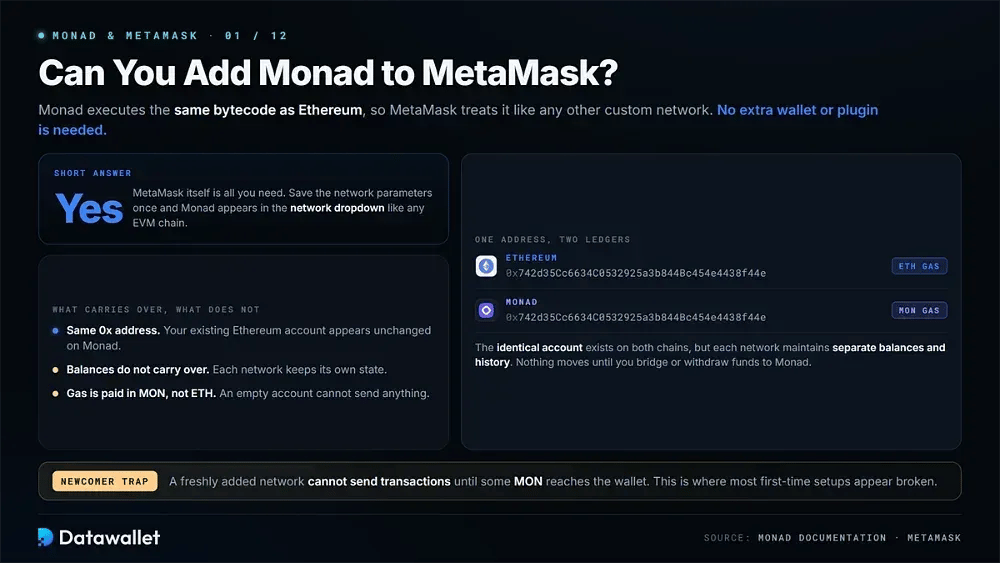
Yes. MetaMask itself is all you need. Since Monad is an EVM-compatible chain it executes the same bytecode as Ethereum and MetaMask handles it like any other custom network.
Your existing Ethereum address stays the same, so the identical 0x account appears on Monad. Balances do not carry over, however, because each network maintains its own state.
Monad charges gas in MON rather than ETH. A newly added network cannot send transactions until MON reaches the wallet, which is where many newcomers run into trouble.
How to Add Monad to MetaMask
All three methods below save the same network. The main difference is how much of the setup you want to verify manually.
Method 1: Monad's Official Documentation
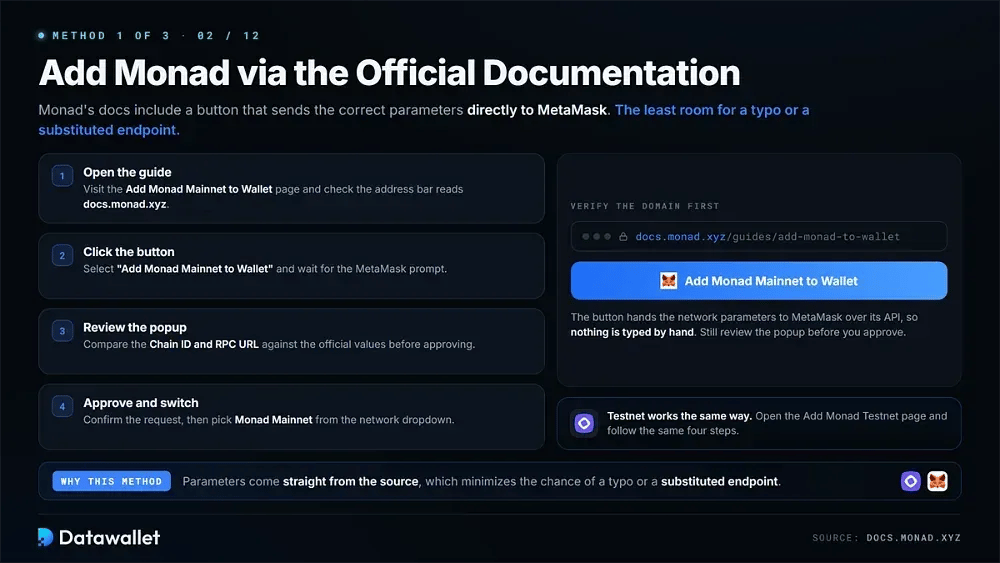
Monad provides a button that sends the correct network parameters directly to MetaMask. This minimizes the chance of a typo or a substituted endpoint.
- Open the guide: Visit the Add Monad Mainnet to Wallet page and check the address bar reads docs.monad.xyz.
- Click the button: Select "Add Monad Mainnet to Wallet" and wait for the MetaMask prompt to appear.
- Review the popup: Compare the Chain ID and RPC against the values listed further down this page.
- Approve and switch: Confirm the request, then pick Monad Mainnet from your network dropdown.
For the test network, open the Add Monad Testnet to Wallet page and follow the same four steps.
Method 2: ChainList
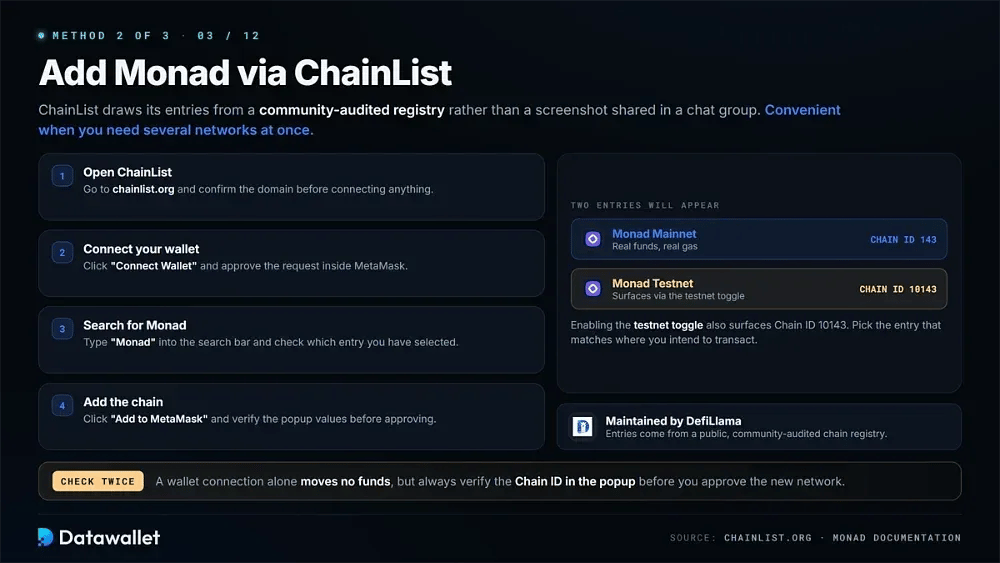
Rather than relying on a screenshot shared in a chat group, ChainList draws its entries from a community-audited registry. It is also convenient when you need to add several networks.
- Open ChainList: Go to chainlist.org and confirm the domain before connecting anything.
- Connect your wallet: Click "Connect Wallet" and approve the request inside MetaMask.
- Search for Monad: Type "Monad" into the search bar. Enabling the testnet toggle also surfaces Chain ID 10143, so check which entry you have selected.
- Add the chain: Click "Add to MetaMask" and verify the popup values before approving.
Method 3: Manual Entry
Manual entry gives you full control over the endpoint MetaMask queries. In MetaMask, choose "Add a custom network", enter the settings below and save them. Our add a network to MetaMask guide explains the screen in more detail.
Monad Mainnet RPC and Chain ID
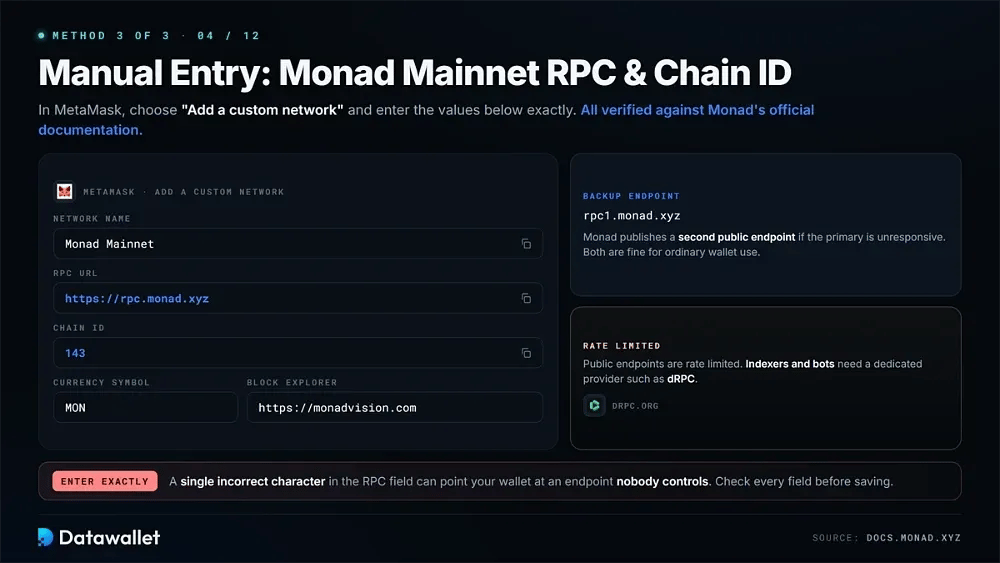
The production values below are verified against Monad's official documentation. Enter them exactly. A single incorrect character in the RPC field can point your wallet at an endpoint nobody controls.
- Network Name: Monad Mainnet
- RPC URL: https://rpc.monad.xyz
- Chain ID: 143
- Currency Symbol: MON
- Block Explorer: https://monadvision.com
Monad also publishes rpc1.monad.xyz as a second public endpoint. Both endpoints are rate limited for ordinary wallet use; indexers and bots need a dedicated provider such as dRPC.
Monad Testnet RPC and Chain ID
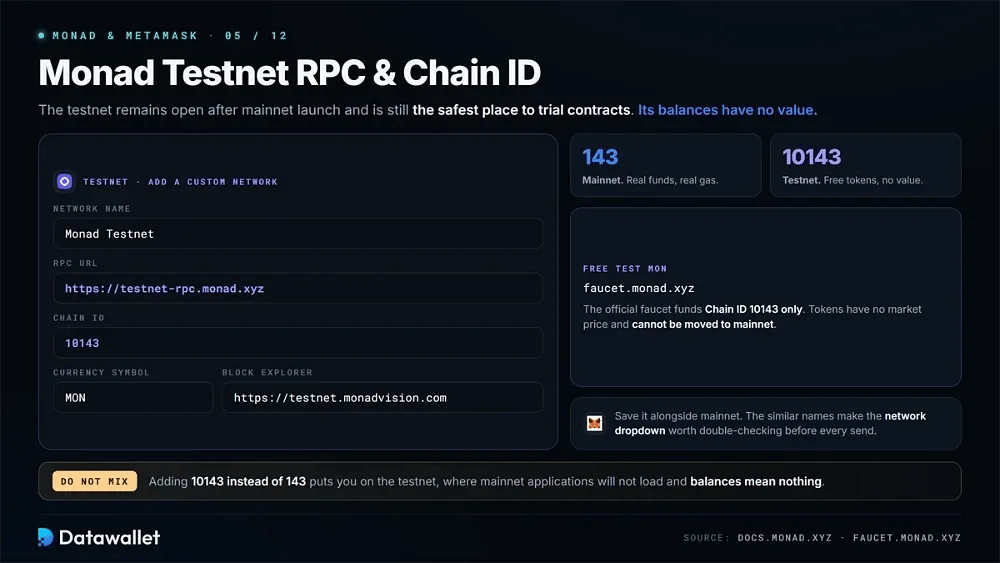
The testnet remains open after mainnet launch and is still the safest place to trial contracts. Its balances have no value.
- Network Name: Monad Testnet
- RPC URL: https://testnet-rpc.monad.xyz
- Chain ID: 10143
- Currency Symbol: MON
- Block Explorer: https://testnet.monadvision.com
Free test MON is available from the official faucet, which funds Chain ID 10143 only. The tokens have no market price and cannot be moved to mainnet.
How to Get MON for Gas
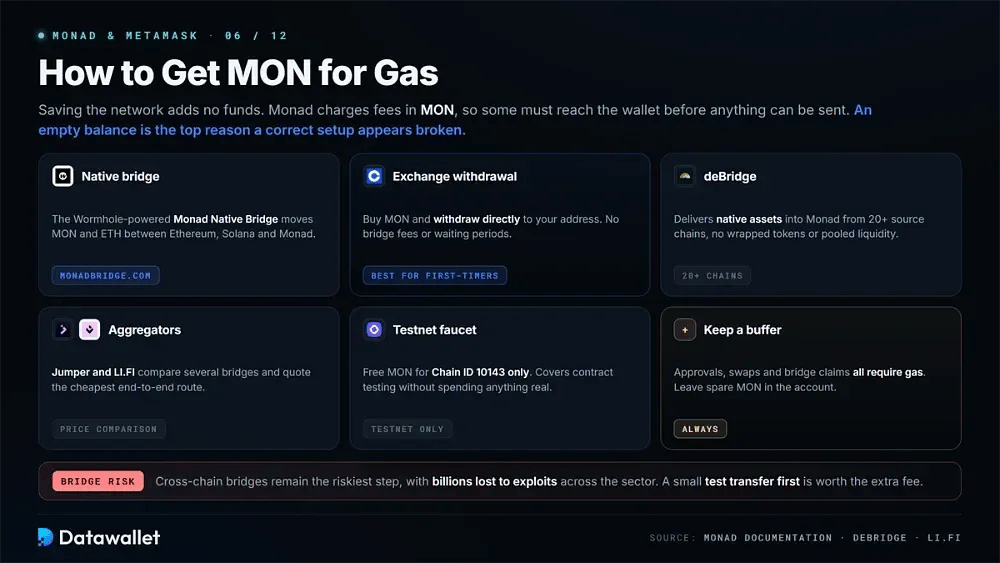
Saving the network does not add funds to it. Since Monad charges transaction fees in MON, some MON must reach the wallet before anything can be sent. An empty balance is a common reason a correct setup appears not to work.
Below are the main ways to fund a Monad wallet:
- Native bridge: The Wormhole-powered Monad Native Bridge moves MON and ETH between Ethereum, Solana and Monad using the NTT standard and Axelar messaging.
- Exchange withdrawal: Buy MON on an exchange and withdraw it directly to your address. This avoids bridge fees and waiting periods, making it suitable for most first-time users.
- deBridge: Delivers native assets into Monad from more than twenty source chains without using wrapped tokens or pooled liquidity.
- Aggregators: Jumper and LI.FI compare several bridges and quote the cheapest end-to-end price for the transfer you want.
- Testnet faucet: The Monad faucet provides free MON for Chain ID 10143 only, covering contract testing without spending anything real.
- Keep a buffer: Leave some spare MON in the account because approvals, swaps and bridge claims all require gas.
Cross-chain bridges remain the riskiest part of the transfer process, with billions lost to exploits across the sector. Our best crypto bridges guide compares their security models. Making a small test transfer first is worth the additional fee.
Is Adding Monad to MetaMask Safe?
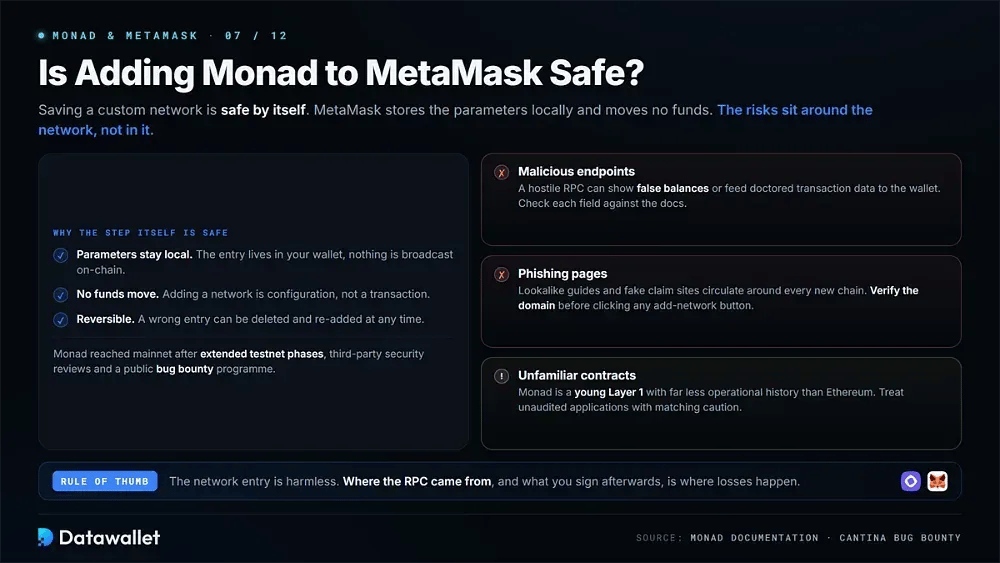
Saving a custom network is safe by itself because MetaMask stores the parameters locally and does not move funds. The main risks come from malicious endpoints, phishing pages and unfamiliar contracts.
A hostile RPC can show false balances or send doctored transaction data to the wallet. Checking each field against Monad's documentation before approving avoids that exposure.
Monad reached mainnet following extended testnet phases and third-party security reviews, alongside a public bug bounty programme. Even so, it is a young Layer 1 with much less operational history than Ethereum. Unaudited applications should be treated with corresponding caution.
About Monad
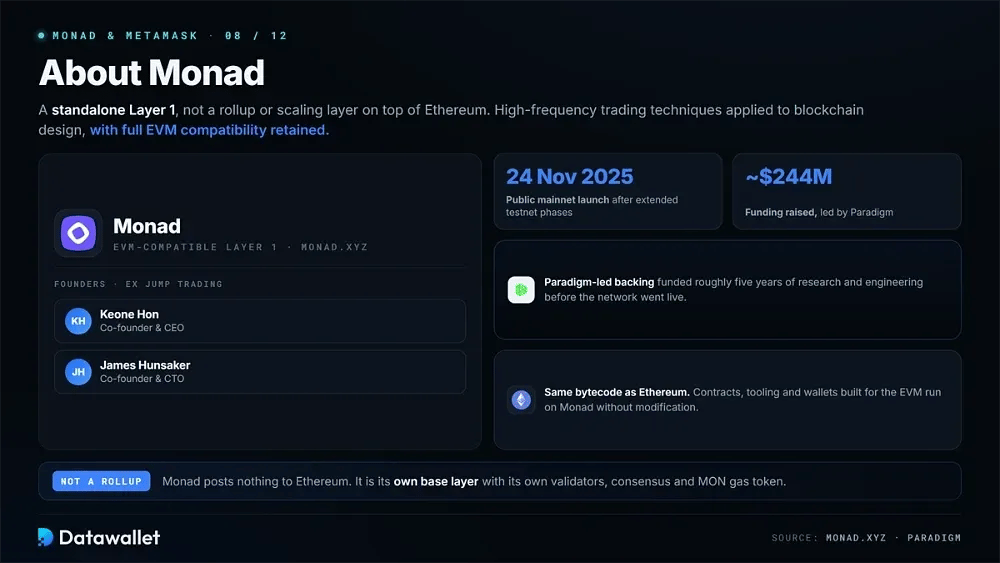
Monad is a standalone Layer 1, not a rollup or scaling layer built on top of Ethereum. Former Jump Trading engineers Keone Hon and James Hunsaker founded the project, applying high-frequency trading techniques to blockchain design while retaining full EVM compatibility.
Public mainnet launched on 24 November 2025. Monad had roughly $244 million in funding led by Paradigm. Our Monad guide looks at the architecture and its trade-offs in more detail. According to Monad's developer documentation, the network targets 10,000 transactions per second, 400ms block times and 800ms finality.
Consensus is handled by MonadBFT, which resists tail-forking. RaptorCast divides blocks into erasure-coded chunks so propagation can use the entire network's upload bandwidth. Separately, asynchronous execution decouples ordering from computation and gives contracts the full block time to run.
MON's public sale took place on Coinbase's token sales platform at $0.025 per token and covered 7.5% of supply. Another 3.3% was distributed through the airdrop. Ecosystem development received 38.5%, while the team was allocated 27% and investors 19.7%.
Common Monad Setup Mistakes
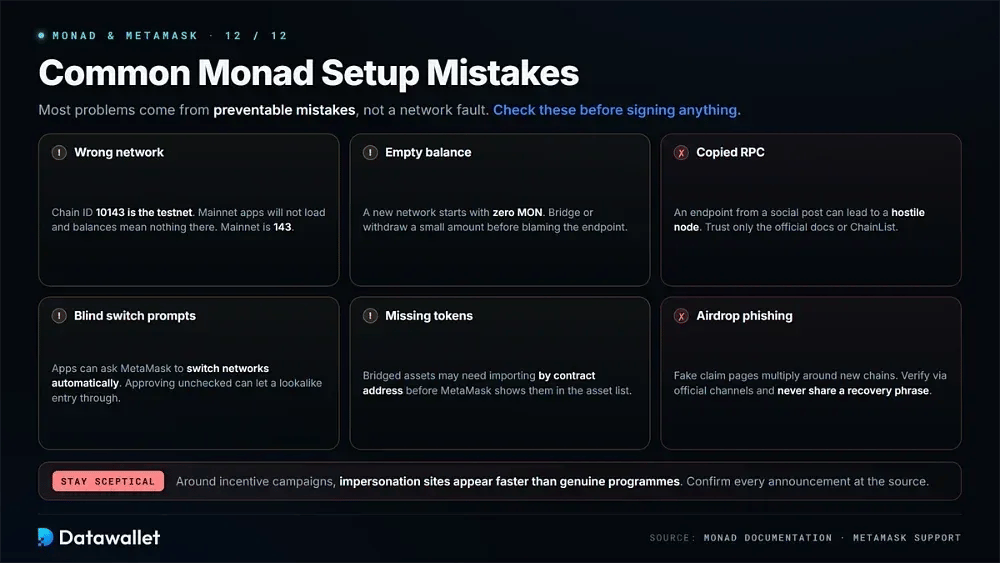
Most setup problems come from preventable mistakes rather than a network fault. Checking the points below before signing can save funds as well as troubleshooting time.
Check each of these before approving a transaction:
- Wrong network: Adding Chain ID 10143 rather than 143 puts you on the testnet, where mainnet applications will not load and balances mean nothing.
- Empty balance: A newly saved network begins with zero MON. Bridge or withdraw a small amount before concluding that the endpoint has failed.
- Copied RPC: An endpoint copied from a social post can lead to a hostile node. Trust only the official documentation or ChainList.
- Blind switch prompts: Applications can ask MetaMask to switch networks automatically. Approving without checking the details can allow a lookalike entry through.
- Missing tokens: Assets bridged to Monad may need to be imported by contract address before MetaMask shows them in the asset list.
- Airdrop phishing: Fake claim pages multiply around new chains. Verify announcements through official channels and never share a recovery phrase.
Anyone pursuing incentive campaigns should be particularly sceptical because impersonation sites can appear faster than genuine programmes. Our top crypto airdrops tracker explains what legitimate distributions look like.
Final Thoughts
Monad can be added to MetaMask in under a minute using the documentation button, ChainList or manual entry with Chain ID 143. Once a small MON balance reaches the wallet, the saved network becomes usable.
Check every field against Monad's own documentation and keep the official endpoint unless there is a reason to use another one. Unsolicited network prompts should be treated with suspicion. Because the chain is still young, its application list and liquidity depth can change quickly; monadvision.com is the easiest place to watch those changes.