


Can You Add World Chain to MetaMask?
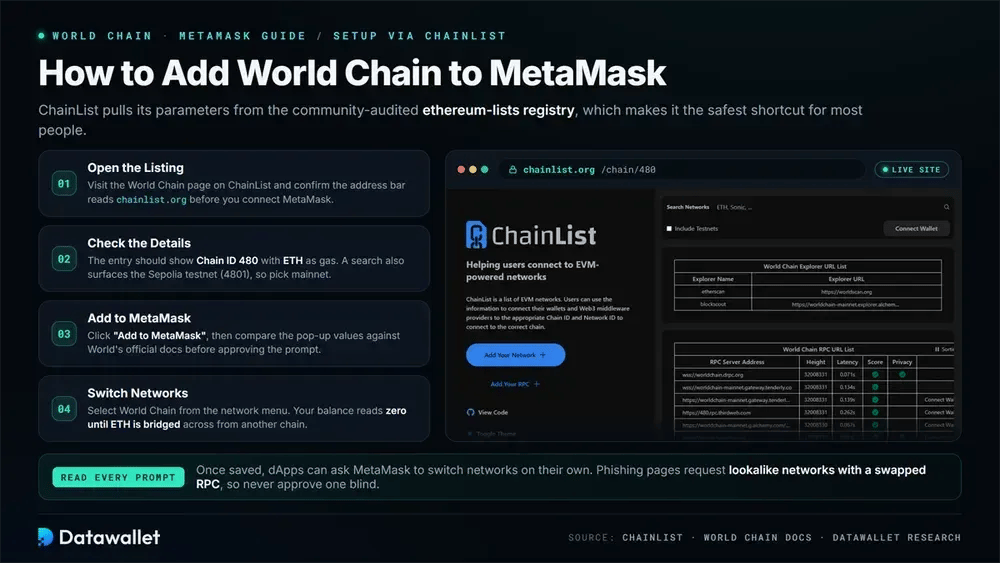
Yes. World Chain is fully EVM-equivalent, so MetaMask treats it as a standard custom network with no Snap or plugin involved. Anything speaking Ethereum JSON-RPC connects, and Rabby or Coinbase Wallet follow an almost identical path if you prefer them.
Gas runs on ETH because World has not issued a network fee token, though World ID holders receive recurring free-gas allowances for basic activity. World App users already carry a built-in wallet with integrated onramps, so the manual MetaMask route mainly suits people managing assets across several chains.
We add it through ChainList, then check every field against the official World docs before approving. A mismatched Chain ID or a forum-copied RPC is the usual reason a connection silently fails or routes a wallet through a hostile node that reports doctored balances.
How to Add World Chain to MetaMask
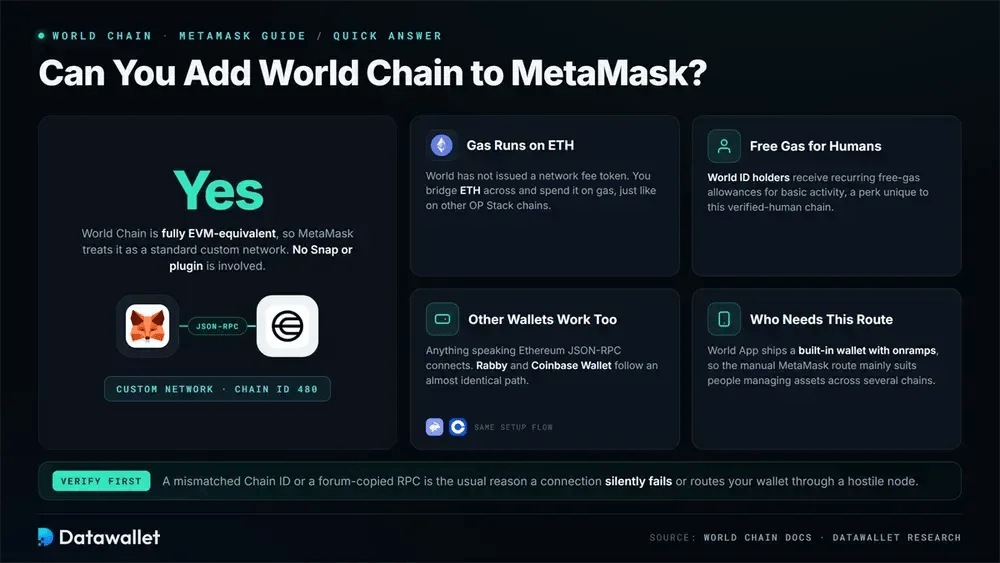
ChainList pulls its parameters from the community-audited ethereum-lists registry rather than a screenshot pasted into a chat, which makes it the safest shortcut for most people:
- Open the listing: Visit the World Chain page on ChainList and confirm the address bar reads chainlist.org before you connect MetaMask.
- Check the details: The entry should show Chain ID 480 with ETH as the gas currency. A "World Chain" search also surfaces the Sepolia testnet (4801), so pick mainnet.
- Add to MetaMask: Click "Add to MetaMask," then compare the pop-up values against World's official docs before you approve the prompt.
- Switch networks: Select World Chain from the network menu. Your balance reads zero until ETH is bridged across, which the sections below cover in full.
Once saved, dApps can ask MetaMask to switch networks on their own. We read those requests each time, since phishing pages can request lookalike networks carrying a swapped RPC, and approving one blind is how people end up signing against a malicious endpoint.
World Chain RPC and Chain ID
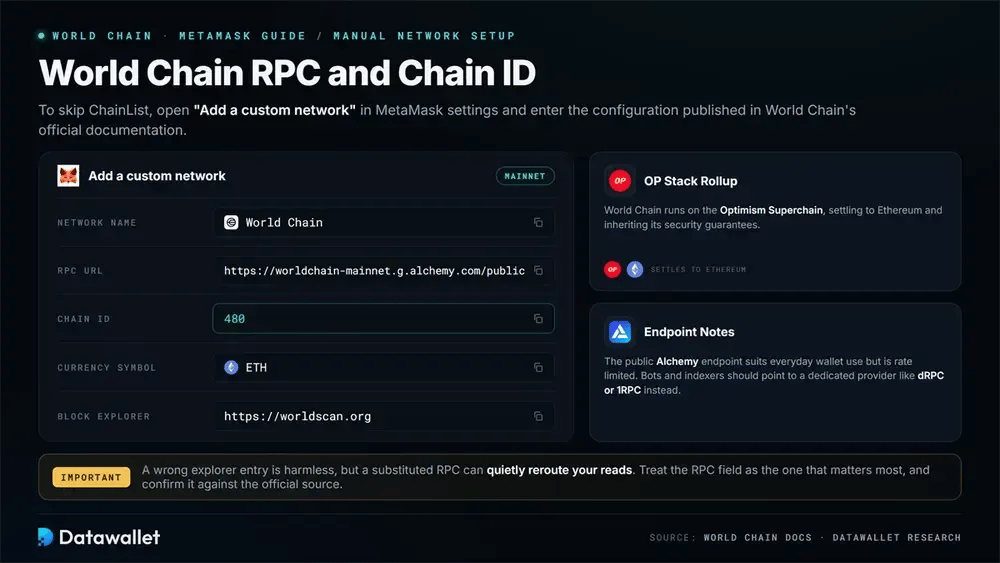
To skip ChainList, open "Add a custom network" in MetaMask settings and enter the configuration below, published in World Chain's official documentation:
- Network Name: World Chain
- RPC URL: https://worldchain-mainnet.g.alchemy.com/public
- Chain ID: 480
- Currency Symbol: ETH
- Block Explorer URL: https://worldscan.org
The public Alchemy endpoint suits everyday wallet use, though it is rate limited and best avoided for bots or indexers, which should point to a dedicated provider like dRPC or 1RPC instead. World Chain runs as an OP Stack rollup on the Optimism Superchain, settling to Ethereum and inheriting its security guarantees.
Important: Always confirm each value against the official source rather than a third-party copy. A wrong explorer entry is harmless, but a substituted RPC can quietly reroute your reads, so treat the RPC field as the one that matters most.
World Chain Sepolia (Testnet) RPC and Chain ID
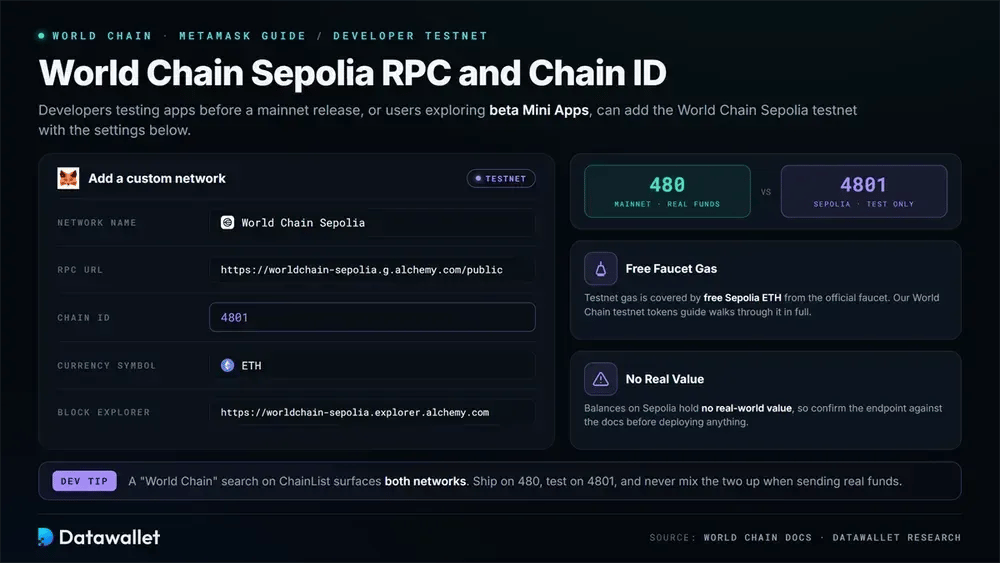
Developers testing apps before a mainnet release, or users exploring beta Mini Apps, can add the World Chain Sepolia testnet with the settings below:
- Network Name: World Chain Sepolia
- RPC URL: https://worldchain-sepolia.g.alchemy.com/public
- Chain ID: 4801
- Currency Symbol: ETH
- Block Explorer URL: https://worldchain-sepolia.explorer.alchemy.com
Testnet gas is covered by free Sepolia ETH from the official faucet, which our World Chain testnet tokens guide walks through in full. Balances there hold no real-world value, so confirm the endpoint against the docs before deploying.
How to Get ETH for Gas on World Chain
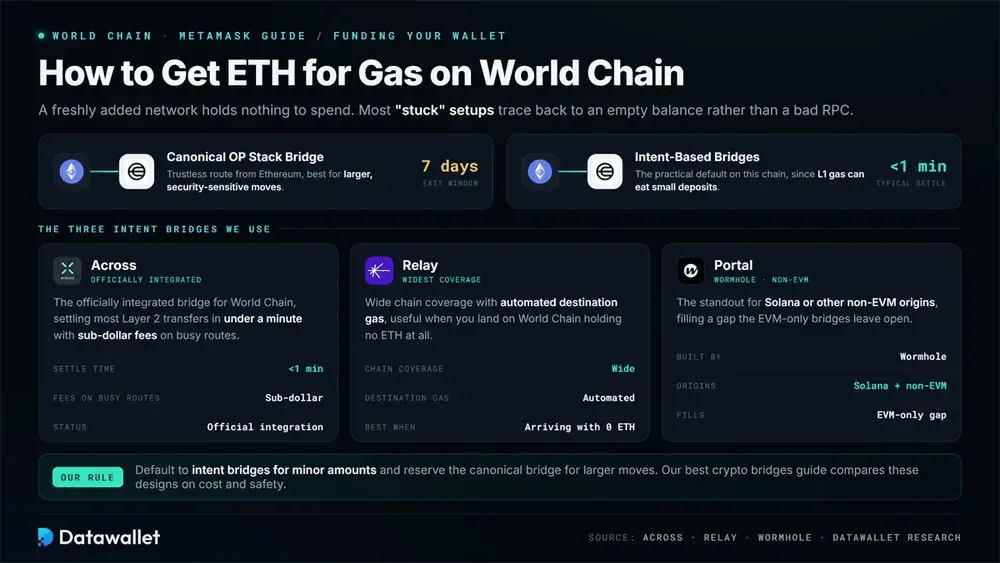
A freshly added network holds nothing to spend, so a small ETH transfer is what actually gets transactions moving. Most "stuck" setups trace back to an empty balance rather than a bad RPC. The trustless route is the canonical OP Stack bridge, which lands ETH from Ethereum but enforces the full seven-day challenge window on the way out.
For speed, intent-based bridges are the practical default on this chain:
- Across: The officially integrated bridge for World Chain, settling most Layer 2 transfers in under a minute with sub-dollar fees on busy routes.
- Relay: Wide chain coverage with automated destination gas, useful when you land on World Chain holding no ETH at all.
- Portal: The standout for Solana or other non-EVM origins, filling a gap the EVM-only bridges leave open.
Because Ethereum L1 gas can eat a meaningful share of a small deposit, we default to the intent bridges for minor amounts and reserve the canonical bridge for larger, security-sensitive moves. Our best crypto bridges guide compares these designs on cost and safety, and our dedicated bridge to World Chain walkthrough covers the full flow.
What Is World Chain?
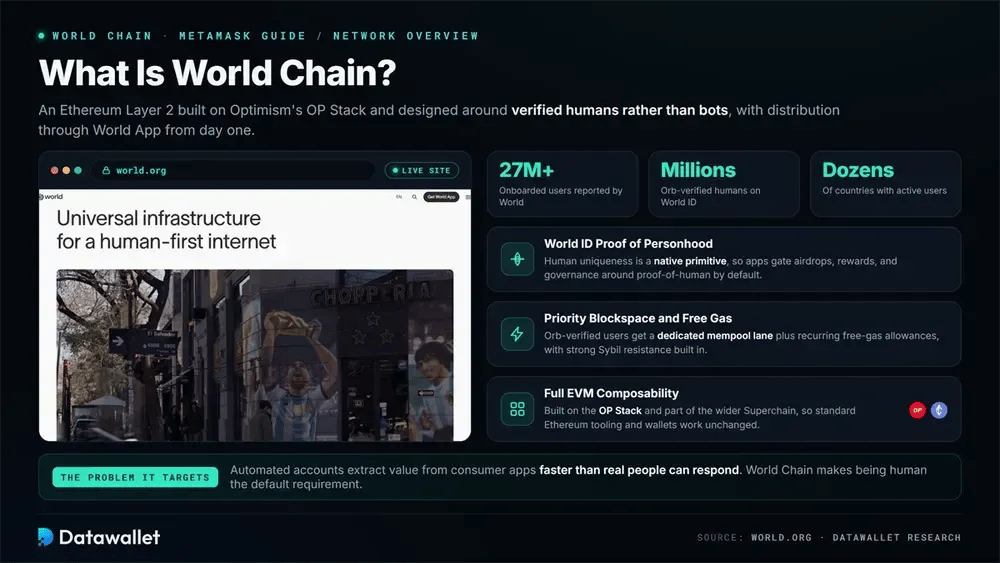
World Chain is an Ethereum Layer 2 built on Optimism's OP Stack and designed around verified humans rather than bots. It pairs priority blockspace and recurring free-gas allowances with World ID proof-of-personhood, giving Orb-verified users a dedicated mempool lane and strong Sybil resistance.
The design targets a specific problem: automated accounts extract value from consumer apps faster than real people can respond. By making human uniqueness a native primitive, World Chain lets developers gate airdrops, rewards, and governance around proof-of-human by default, while keeping full EVM composability with the wider Superchain.
That pitch has scale behind it. World reports over 27 million onboarded users and millions of Orb-verified humans across dozens of countries, giving apps built on the chain immediate distribution through World App rather than a cold-start user base.
What Changed on World Chain in 2026
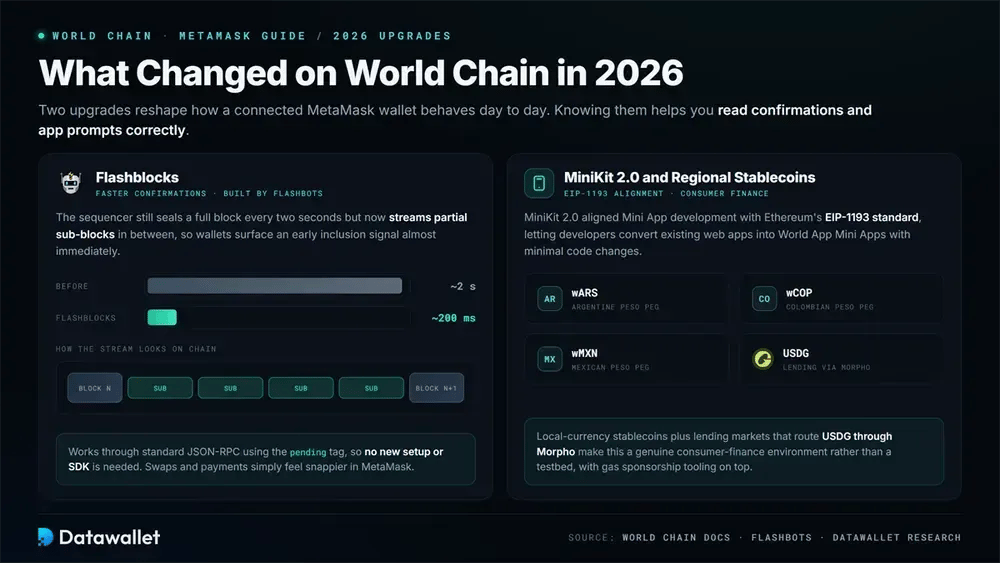
The chain has moved well past a simple OP Stack fork over the past year, and two upgrades in particular reshape how a connected MetaMask wallet behaves day to day. Knowing them helps you read confirmations and app prompts correctly.
Flashblocks and Faster Confirmations
World Chain integrated Flashblocks, the Flashbots-built preconfirmation layer, cutting effective confirmation feedback from roughly two seconds toward 200 milliseconds. The sequencer still seals a full block every two seconds, but it streams partial sub-blocks in between, so wallets surface an early inclusion signal almost immediately.
For MetaMask users this mostly shows up as snappier transaction feedback on swaps and payments. The mechanism works through standard JSON-RPC using the pending tag, so no new setup or SDK is needed on your side to benefit from the lower latency.
MiniKit 2.0 and Regional Stablecoins
World's MiniKit 2.0 release aligned Mini App development with Ethereum's EIP-1193 standard, letting developers convert existing web apps into World App Mini Apps with minimal code changes. The ecosystem now supports several regional stablecoins, including wARS, wCOP, and wMXN, alongside gas sponsorship tooling.
That local-currency layer matters for a wallet holder, because it means the assets you bridge in are increasingly matched by native stablecoins pegged to real-world currencies. Combined with lending markets that route USDG through Morpho, the chain has grown into a genuine consumer-finance environment rather than a testbed.
Common World Chain Setup Mistakes
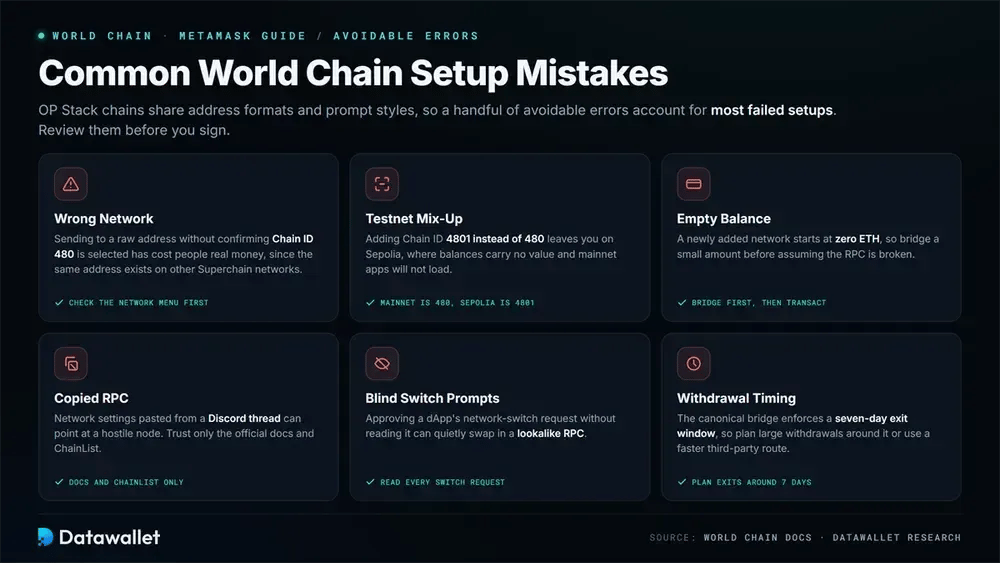
Because OP Stack chains share address formats and prompt styles, a handful of avoidable errors account for most failed setups. Reviewing them before you sign saves both funds and troubleshooting time:
- Wrong network: Sending to a raw address without confirming Chain ID 480 is selected has cost people real money, since the same address exists on other Superchain networks.
- Testnet mix-up: Adding Chain ID 4801 instead of 480 leaves you on Sepolia, where balances carry no value and mainnet apps will not load.
- Empty balance: A newly added network starts at zero ETH, so bridge a small amount before assuming the RPC is broken.
- Copied RPC: Network settings pasted from a Discord thread can point at a hostile node; trust only the official docs and ChainList.
- Blind switch prompts: Approving a dApp's network-switch request without reading it can quietly swap in a lookalike RPC.
- Withdrawal timing: The canonical bridge enforces a seven-day exit window, so plan large withdrawals around it or use a faster third-party route.
Final Thoughts
Adding World Chain to MetaMask takes under a minute through ChainList or a manual entry with Chain ID 480, and a small bridged ETH balance is what actually gets you transacting.
Verify every field against World's official docs, keep the official RPC unless you have a specific reason to change it, and never approve a network prompt or share a recovery phrase with a site you have not vetted.
The network moves quickly, so expect its Mini App list, stablecoin coverage, and lending depth to keep shifting. The explorer at worldscan.org is the easiest place to watch that growth in real time.